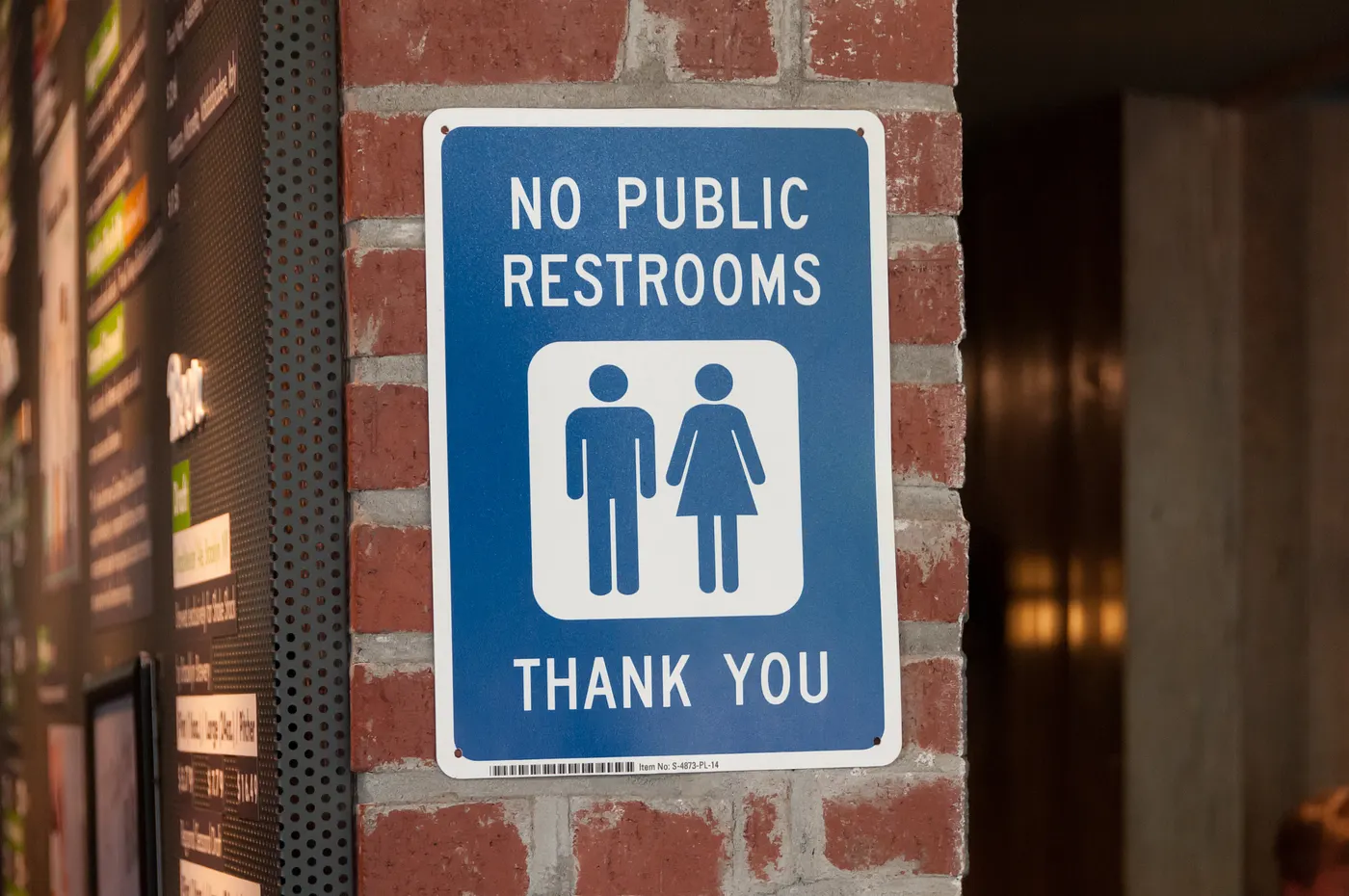
Project Overview
As a UI/UX Designer, I am always looking for sources of inspiration when developing my portfolio. Being an avid Larry David fan, I decided to turn my desire for inspiration toward one of my favorite shows, Curb Your Enthusiasm, to see if anything caught my eye.
During the Seinfeld reunion season of Curb Your Enthusiasm, there was a scene where George Costanza had a genius idea of inventing an app called the iToilet. In Jerry's wise words, the iToilet is "an iPhone application that leads via your GPS to the nearest acceptable toilet wherever you are in the world."
I found this app idea extremely intriguing, and I asked myself: What would this app look like during the COVID-19 Pandemic?
Goals & Objectives
Research and design an app that has an easy-to-use user experience and a pleasant user design.
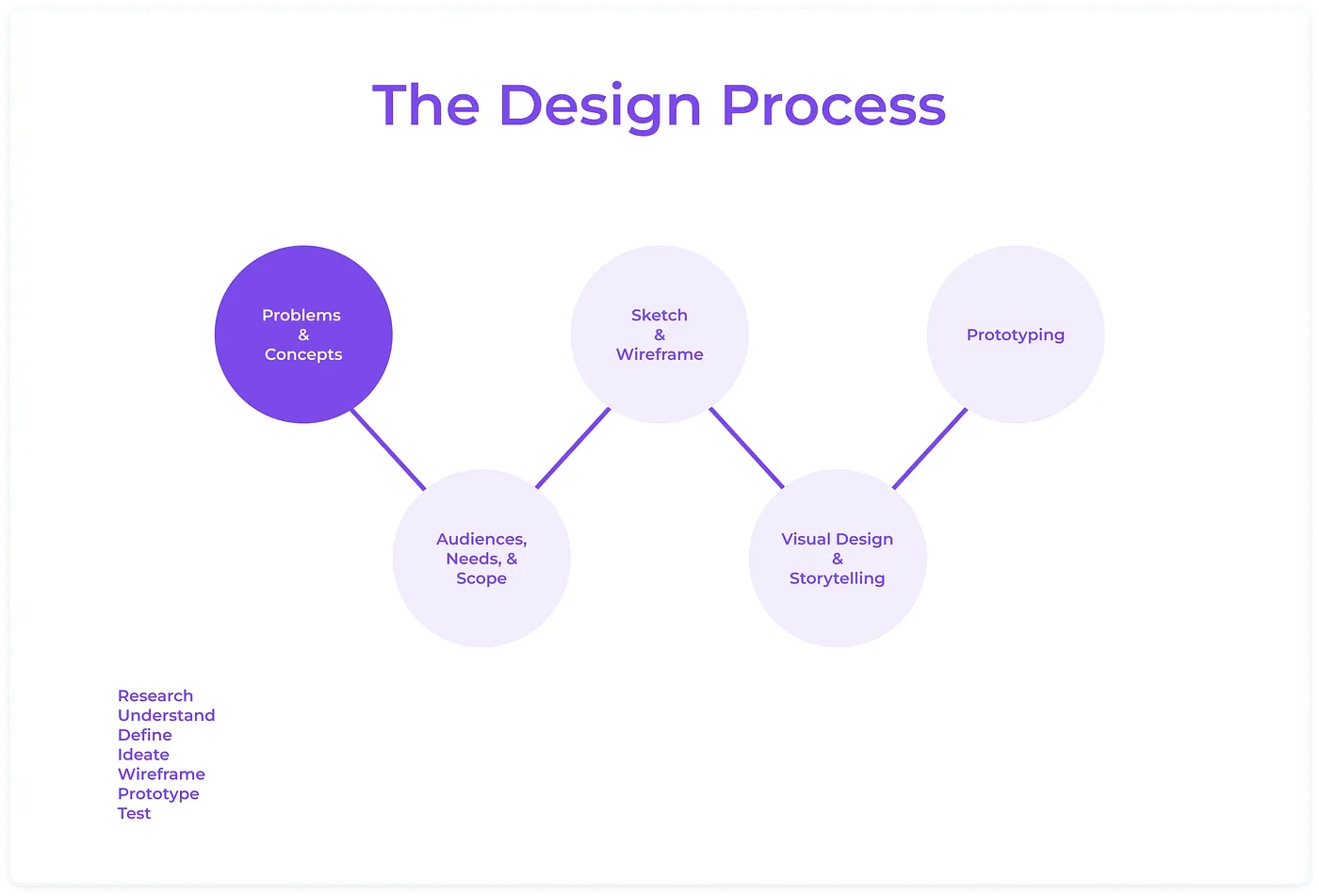
Design Process
To gain a complete understanding of how one should create an app that works for individuals on the go, I had to first put my mindset into that of the user. To do so, I needed to research my target market and identify their goals, needs, motivations, and frustrations.
Understanding the Users
What are the insights I can gather?
After doing some preliminary research, I discovered that there is a tremendous market for an app like iToilet. The user market includes health related disorders (Irritable Bowel Syndrome, Crohn's Disease, Urinary Tract Infections, Prostate Cancer), on-the-go careers (delivery bikers, postal workers, Uber drivers), pregnant women, and families with small children.
12% of the US population (39 million) has irritable bowel syndrome
Therefore, although there may not be a wide range of users benefitting from an app like this, the population of those that would reap a benefit is notably large. To ensure this, the iToilet app must be quick, clean, and not overly complex — AKA "user friendly."
Persona Development
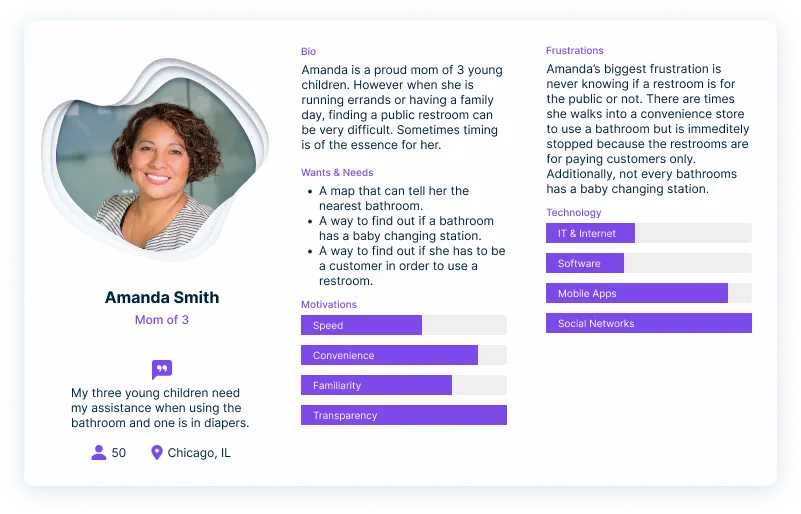
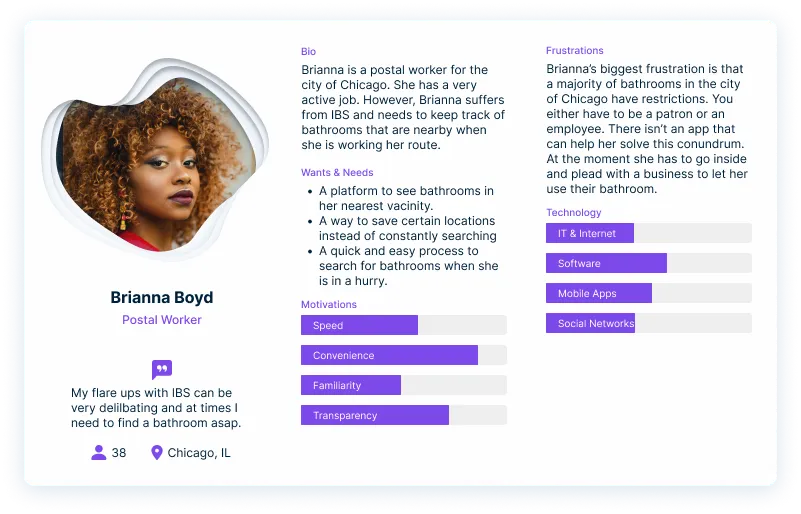
I created two separate, distinct personas to help exemplify and allude to how diverse iToilet's target users are.
Persona 1: Amanda - Mother of Three
My first persona, Amanda, is a mother of three young children. I felt Amanda would be an ideal user for this app because mothers constantly watch their children, including in the restrooms. Therefore, a restroom with numerous toilets and a baby changing station is necessary for parents with young children.
Multiple times, a parent is running errands with their children, including those very young children, and said parent has to scope for restrooms in case of an accident, a diaper change, or just a 2-year-old unable to "hold it."
In Amanda's case, her biggest frustration is not only the difficulty of finding a restroom that fits her needs WHEN she or her children need to use it, but also the frustration of finding a restroom where she doesn't have to be a patron or an employee of the establishment. In scenarios involving these frustrations, iToilet can be the solution by allowing Amanda to filter the number of toilets in a restroom, request a baby changing station, and ensure that she can use the restroom without being a patron or a paying customer.
Persona 2: Brianna - Postal Worker with IBS
My second persona, Brianna, is a postal worker for the city of Chicago. I chose Brianna as a persona for iToilet because, like 39 million other Americans, Brianna suffers from IBS. In addition to this condition, Brianna's job is very active and requires constant on-the-go.
However, for an individual with IBS, flare-ups can occur at any time and are somewhat unpredictable. In this scenario, Brianna's job is dependent on her performance and how efficiently she delivers mail on her routes. Flare-ups can already lower her work capacity and rates of efficiency. However, these performance indicators may be reduced immensely if she is in dire need of finding a restroom.
In this instance, iToilet can not only help Brianna find a restroom quickly, but it will also ensure her overall performance is not affected should an IBS flare-up occur.
The Game Plan
After analyzing my personas, I was able to identify three major areas to create a beneficial app:
A clean and intuitive user interface that abides by accessibility standards.
An easy way to quickly filter your restroom criteria.
A simplistic way of saving restrooms.
Site Map
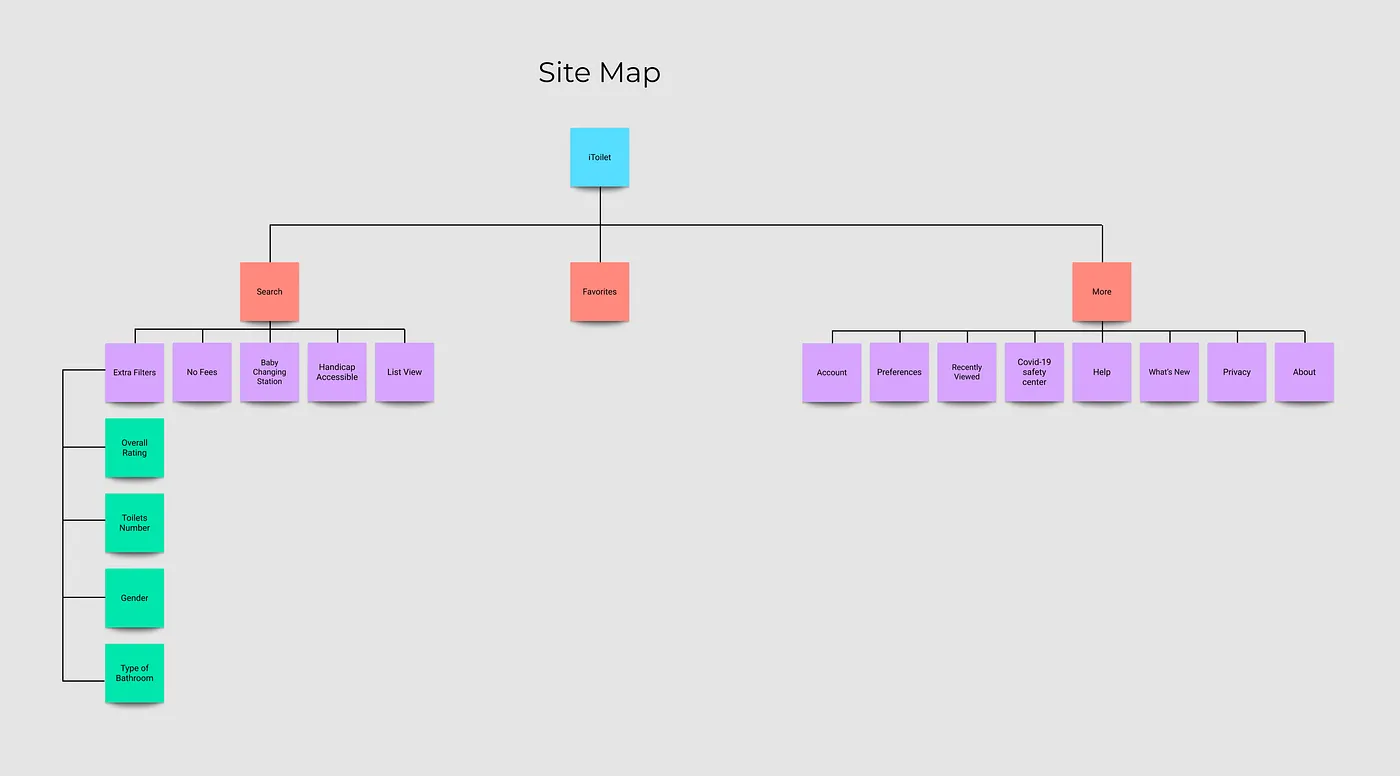
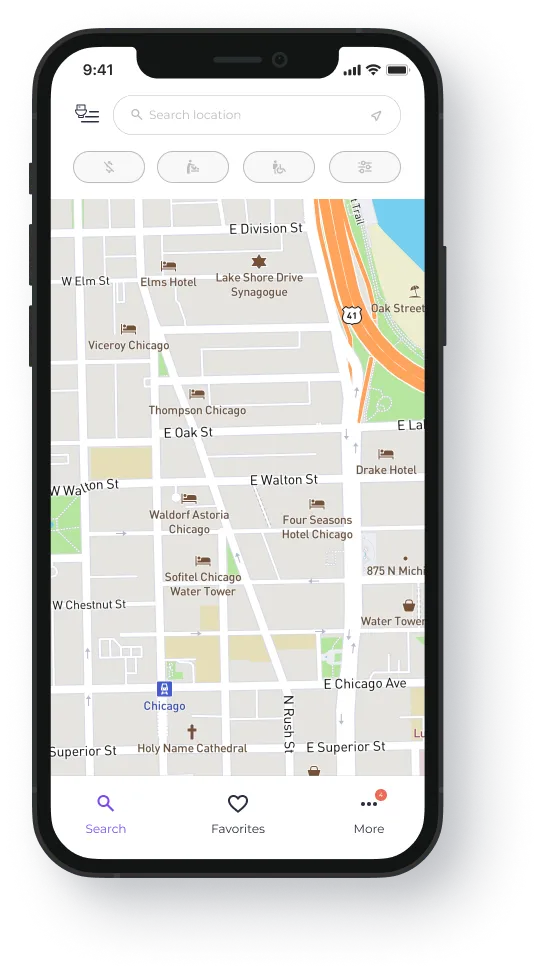
At first, I illustrated a sitemap focusing on the potential layout of the mobile app. After figuring out the three main criteria I noted above, I knew that the user's navigation should include the following: (1) a search "home screen," (2) a "favorite restroom" page, and (3) a "more" section where the user can edit their preferences and account information while also seeking out any guides they may need.
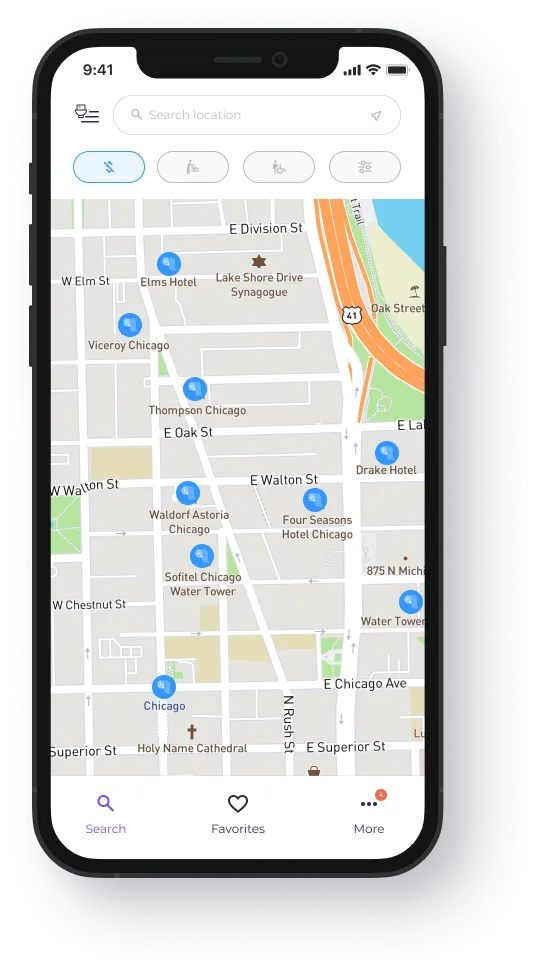
As for the search screen, I wanted the app to have three easy filters, each triggered by a single touch. After researching and building out my personas, the three most commonly sought-after filters are (a) no fees (patron or paying customer), (b) family/baby changing stations, and (c) handicap accessibility restrooms.
User Flow
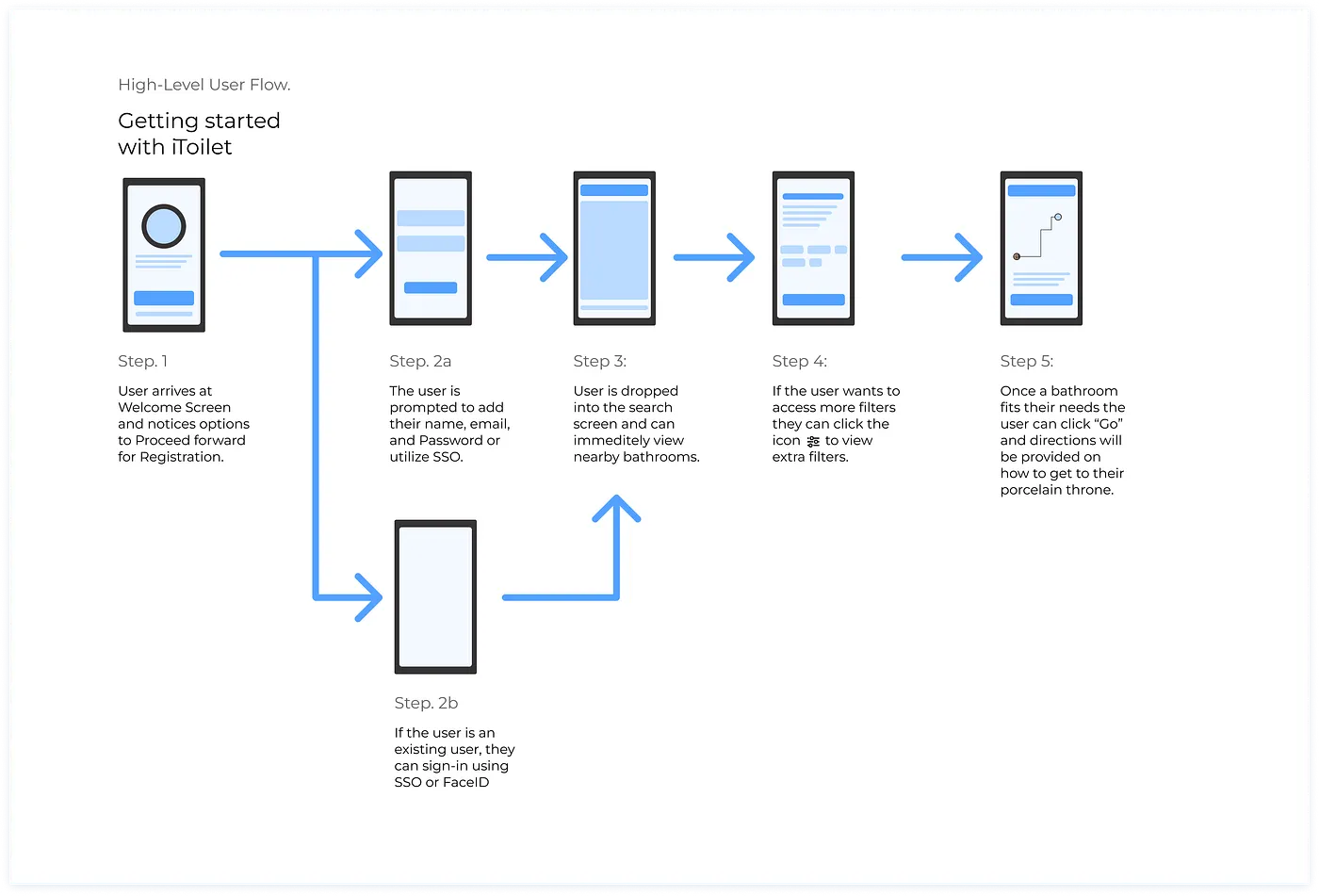
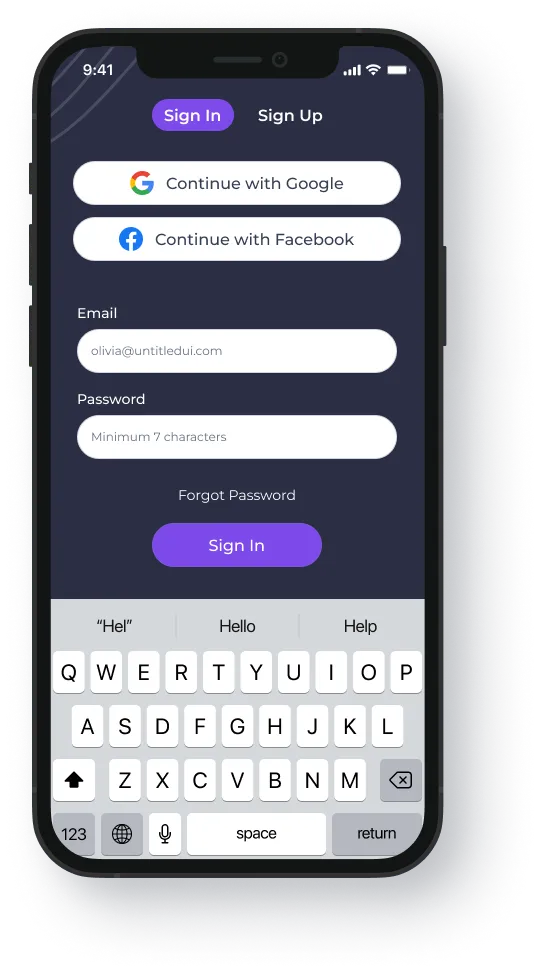
Onboarding is the most crucial part when it comes to converting your users. In 2018, 21% of users abandon an app after one use. Because of this low retention rate, I wanted the user to be able to experience iToilet in a max of two steps. To accomplish this goal, the app should have two options for creating an account. The first way to create an account includes a single sign-on through a social network platform of the user's choice. For this article, I chose Facebook and Google. The main reason I chose these platforms instead of other competitors comes down to the number of users. Google has over 4 billion users, and Facebook has nearly 3 billion.
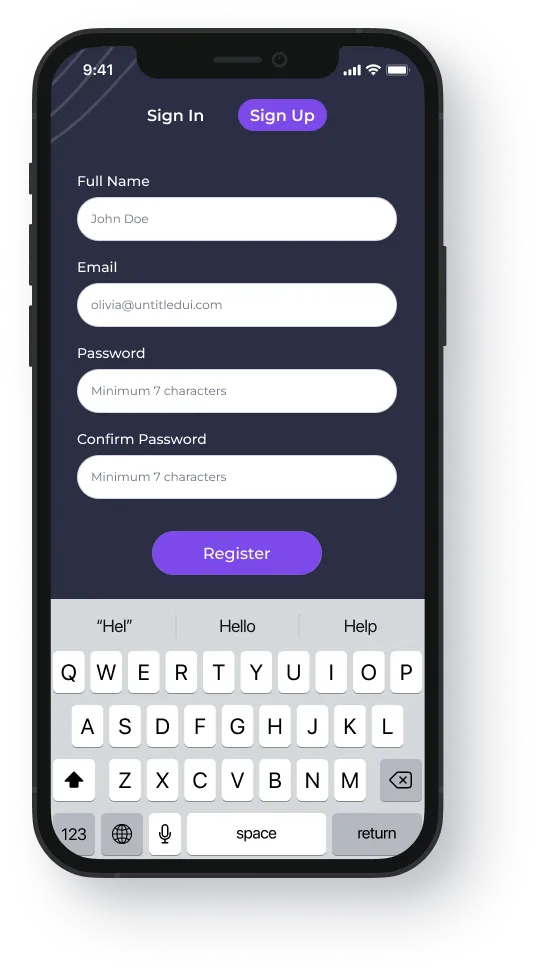
You might be thinking, "what if I am off the map and don't have any social networks, or I don't like signing into apps through social media?" Not to fret — behold, the second option. If a user does not have or chooses not to use the single sign-on capabilities of the app, then they are allowed to provide their full name, email address, and a password to create and link the account.
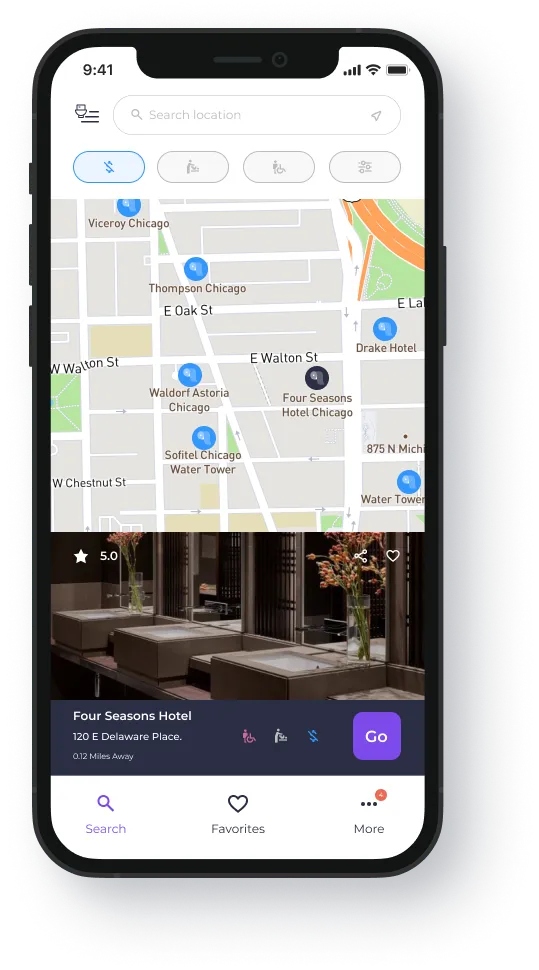
Once the user has created their account, they can immediately see the home interface of iToilet. From there, they can see all the restrooms by location and their respectable vicinities to the user. Suppose a user was to click on a specific spot. In that case, they will be presented with a picture of the restroom, the star rating, address, distance, and what features the restroom has (no fees, handicap accessibility, and baby changing station). Once a user finds an appropriate restroom they like, they can click a button, and iToilet will provide directions on how to get there.
Paper Prototypes
I want this app to be as simple as possible. In my opinion, there are way too many apps on the market today that take unnecessary steps to get a user into their platform. These cumbersome steps can turn a "fun" experience into an overwhelming one. iToilet's interface and experience should be easy for any individual regardless of age, gender, education, or demographics. A user should have the ability to navigate this app, inherently understand it, and desire to continue using it. Bottom line: it should be enjoyable.
Splash / Welcome Screen
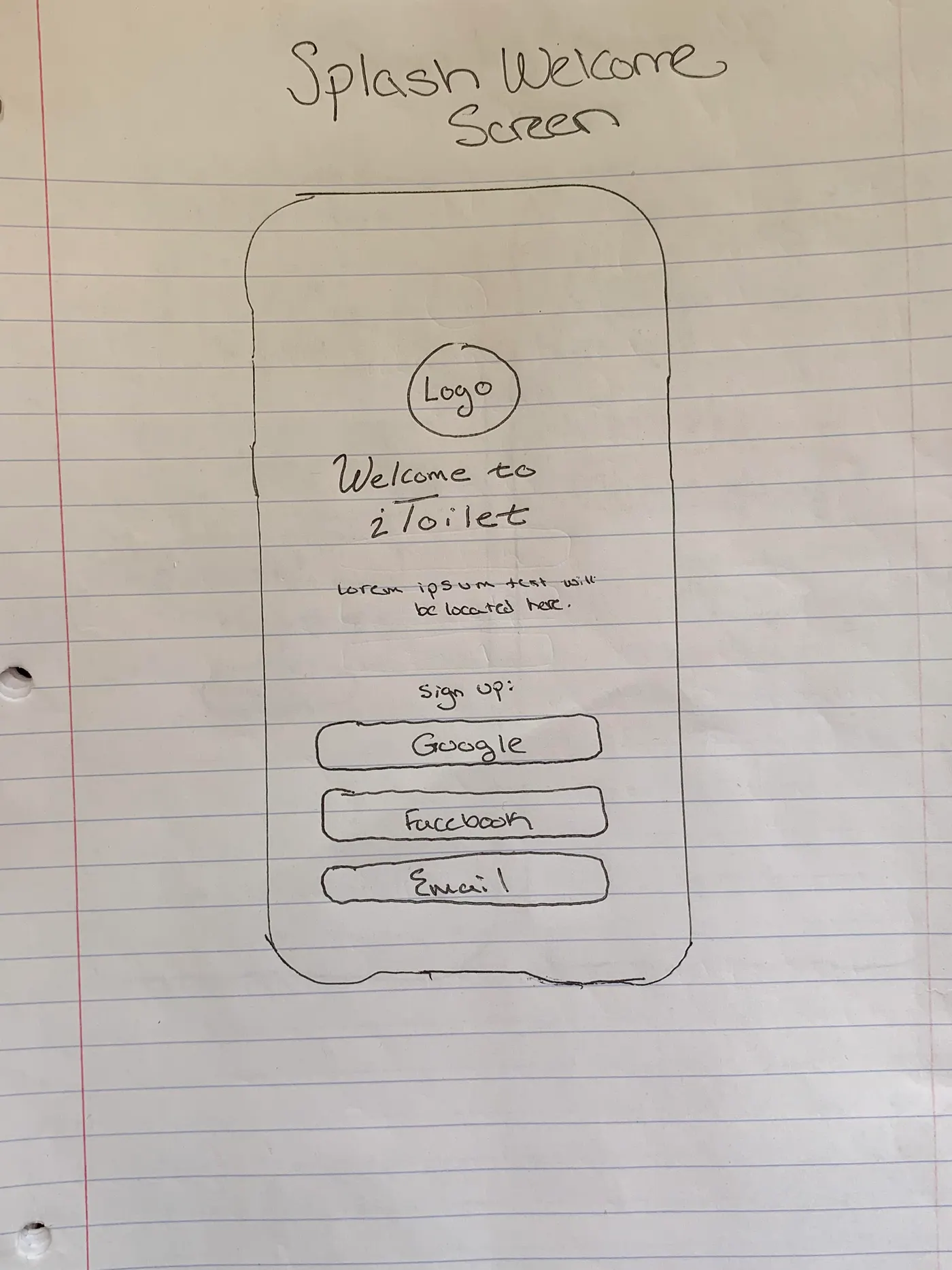
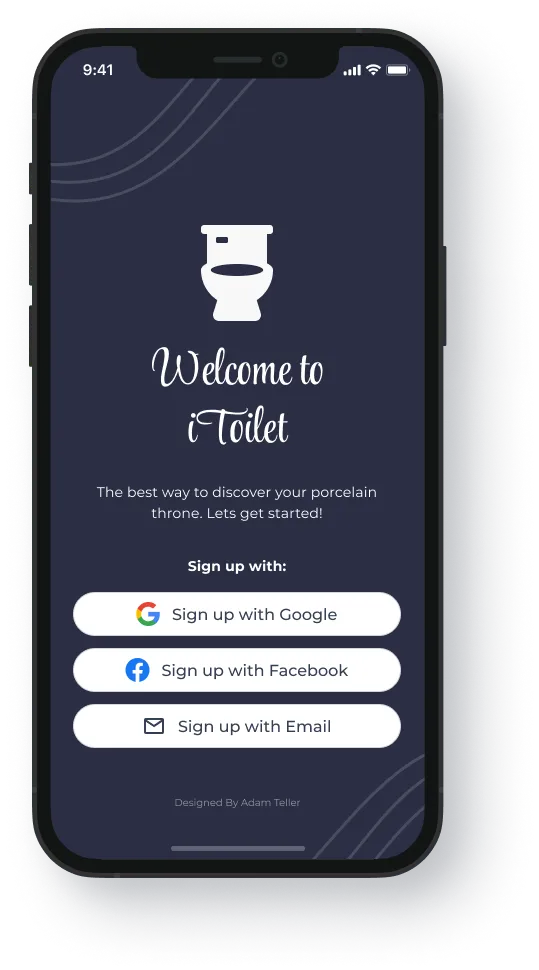
The welcome screen should feel familiar to the user and have a simple layout. A user should not spend any time thinking on this screen. Jakob's Law states users prefer sites to work the same way as all other sites they already know, and Hick's Law states the time it takes to make a decision increases with the number and complexity of choices. iToilet will utilize Google and Facebook SSO options because Google has over 4 billion users and Facebook has nearly 3 billion users.
Sign In / Sign Up Screen
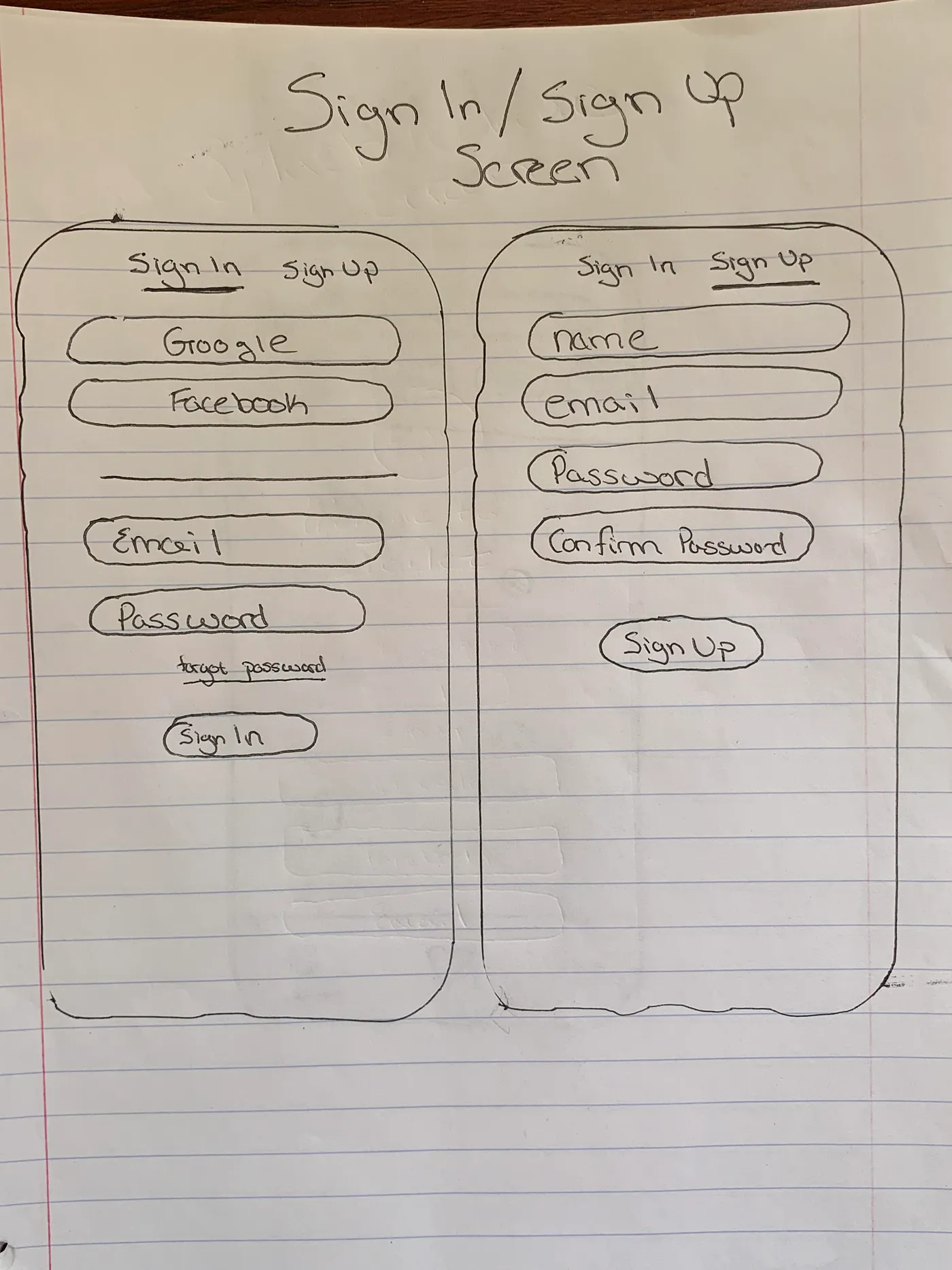
Like Jakob's Law, the sign-in and sign-up functionality will be precisely similar to most well-known platforms. At any point a user should have the ability to toggle between signing in or registering. If a user clicks the "email" option, the user will be moved downwards where the fields for name, email, password, and confirm password are located.
Search — Map View
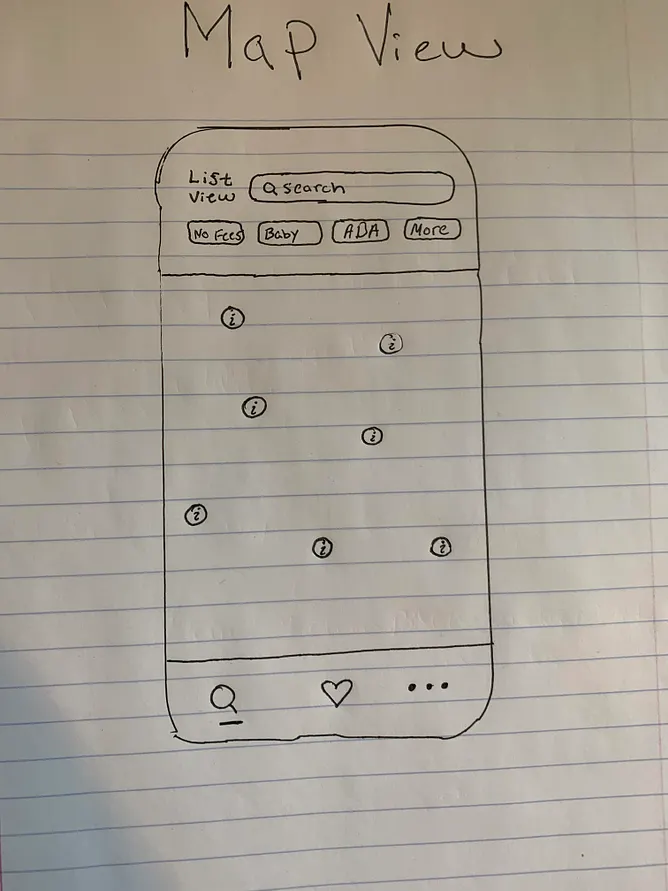
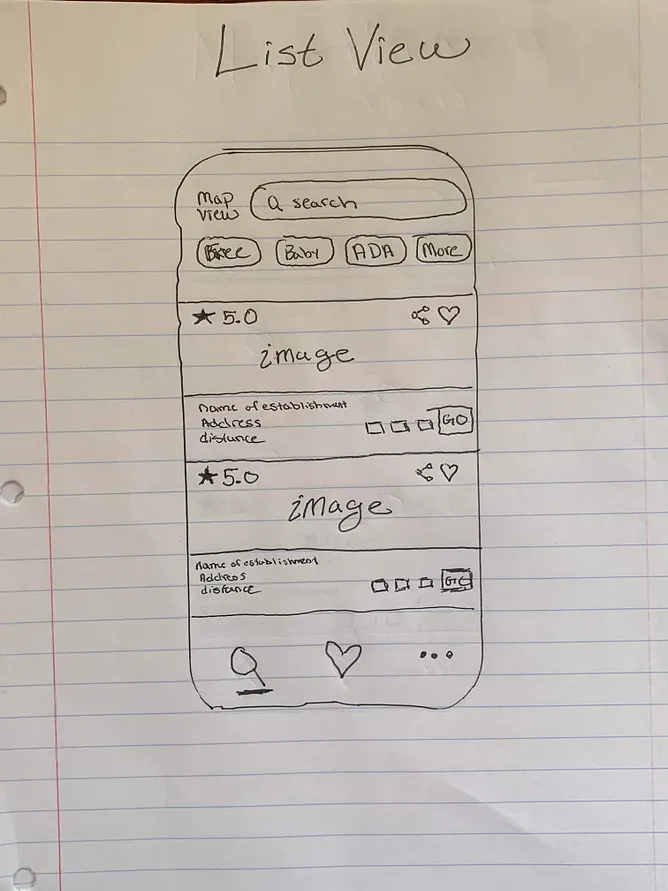
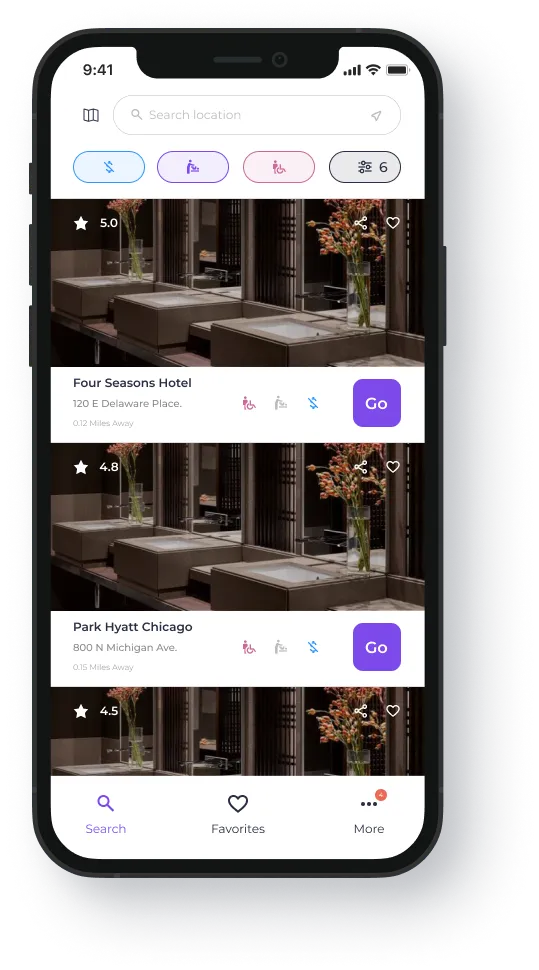
I wanted the search functionality to be easy to discern. Specifically, I wanted the user to have the ability to filter restrooms with a single touch (No Fees, Baby Changing Station, Handicap Accessible).
The footer navigation should follow Hick's Law and not be overly complex.
Each user has different preferences. I wanted to find a way to merge those preferences by providing the user with a way to search nearby restrooms via a list view or map view.
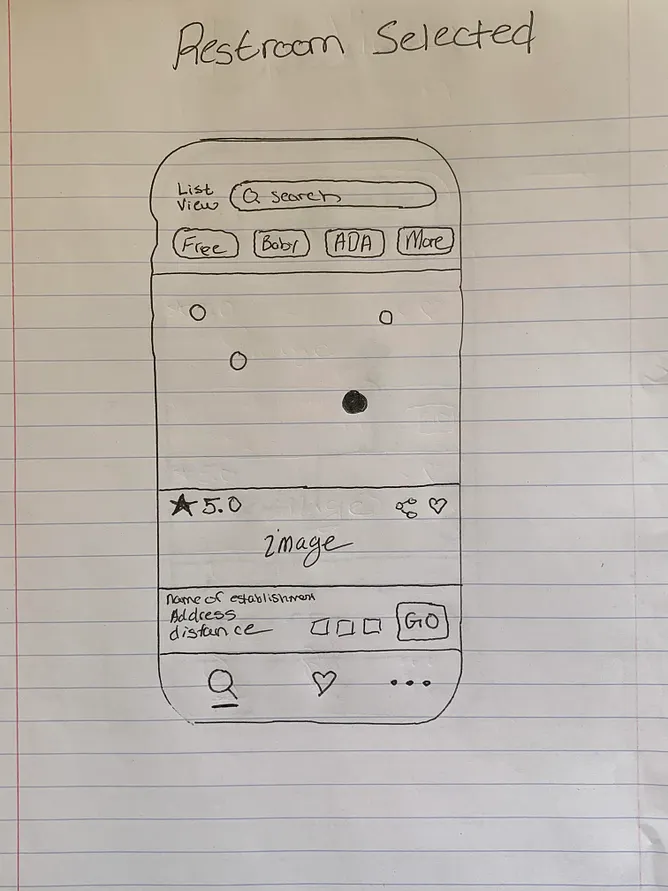
The same information displayed within the map view when a user selects a restroom will be displayed within the list view. Similarly, a user wanting to view restrooms from a list view can filter between restrooms just like they would in the map view.
When clicking on a specific restroom and viewing its information, the user will be able to see the following: an image of the restroom; its star rating; whether there is the ability to share a restroom; the name of the establishment where the restroom is; its address; the user's distance from the restroom; whether the restroom contains any filters; and an option for directions to the restroom.
Directions to Restroom
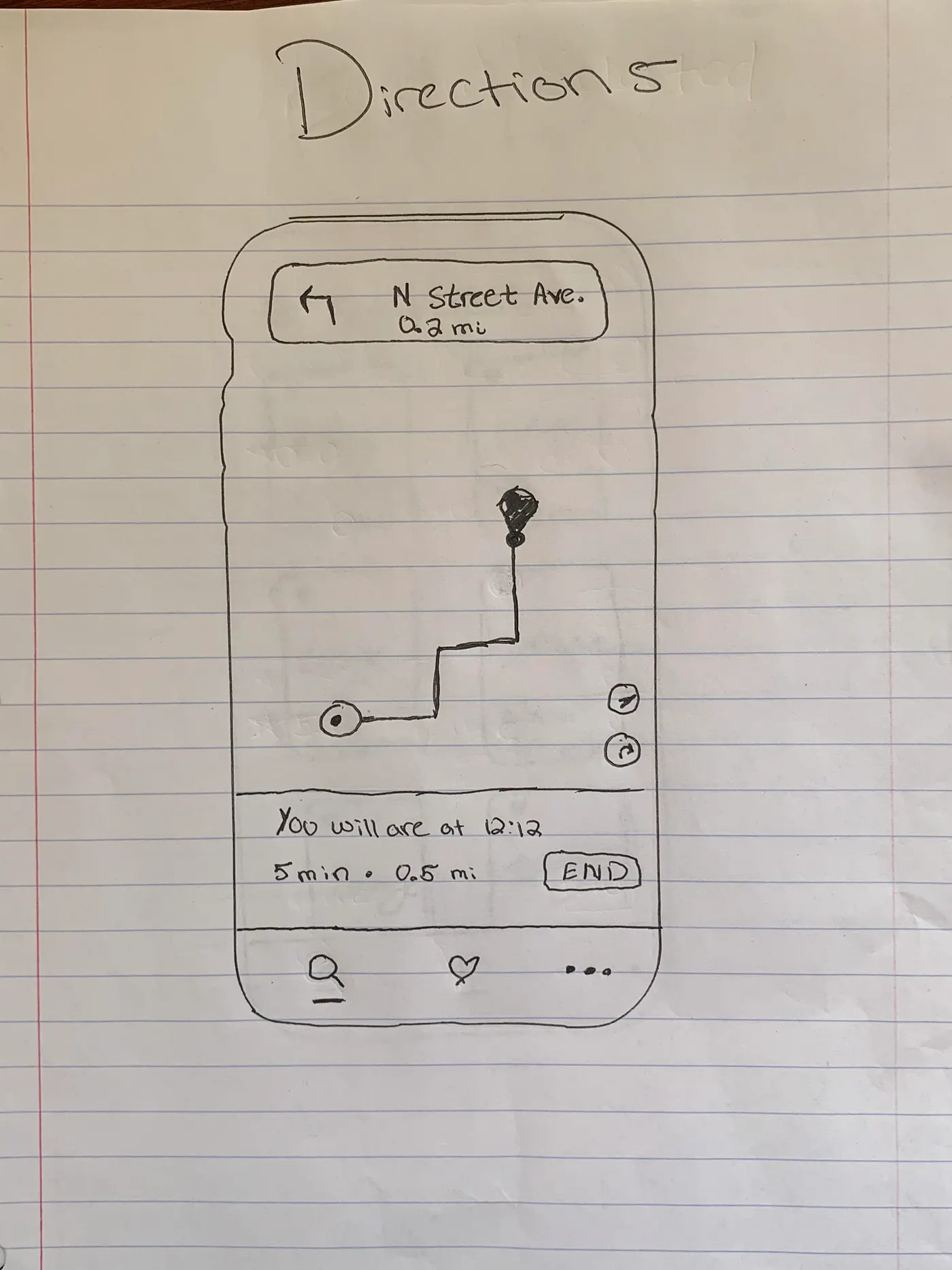
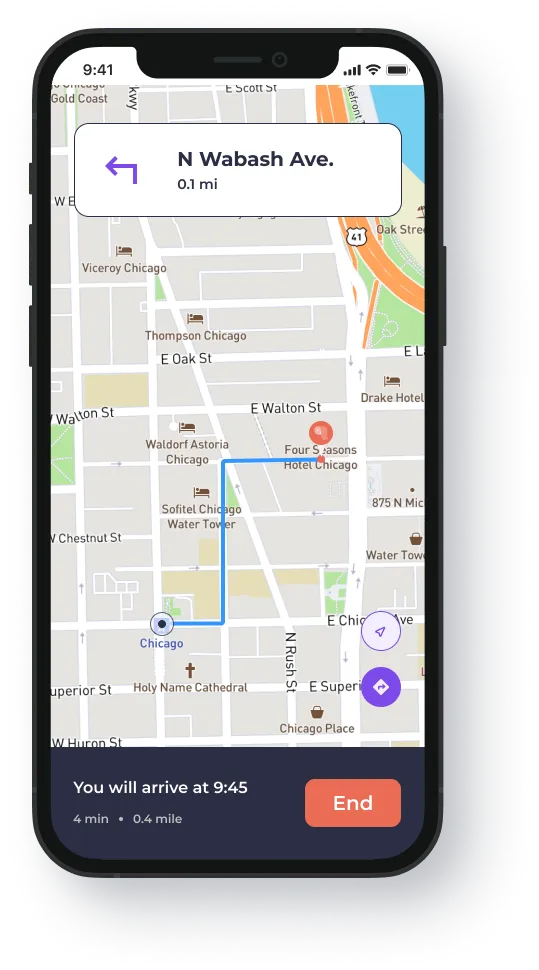
Like most apps that provide directions, iToilet will function the same exact way. Familiarity is imperative and users should understand how to use this app and its navigations to get directly to their chosen restroom.
When a restroom has been selected, a user will be presented with information of the expected time they should arrive, total time, and how far away the restroom is from their current location.
At the very top, specific directions will be displayed such as "turn left in 0.2 miles" with street names.
If a user needs to recenter their position or view a list view of their directions, those capabilities are featured on the right corner and are easy to click.
Favorite Restrooms
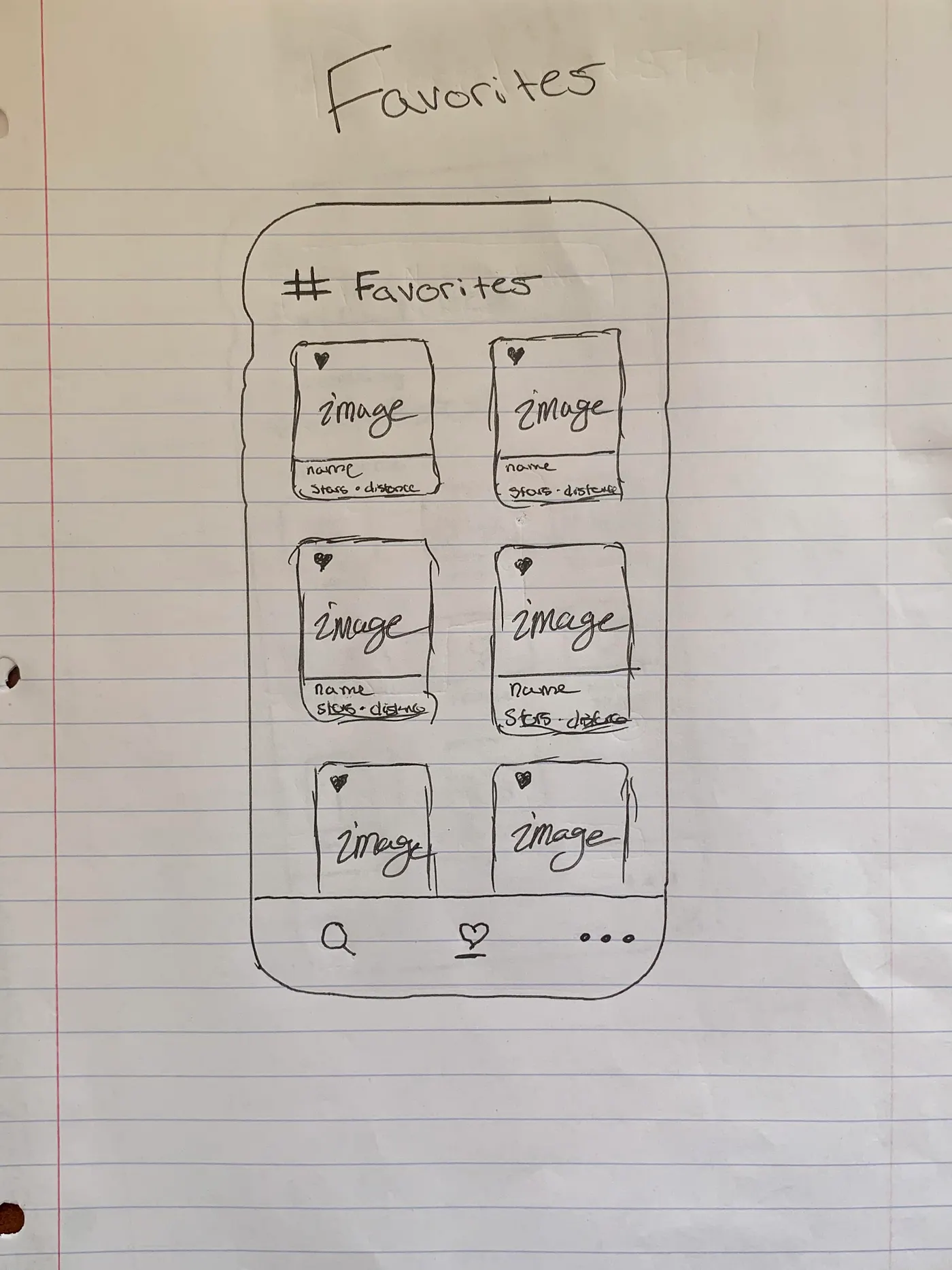
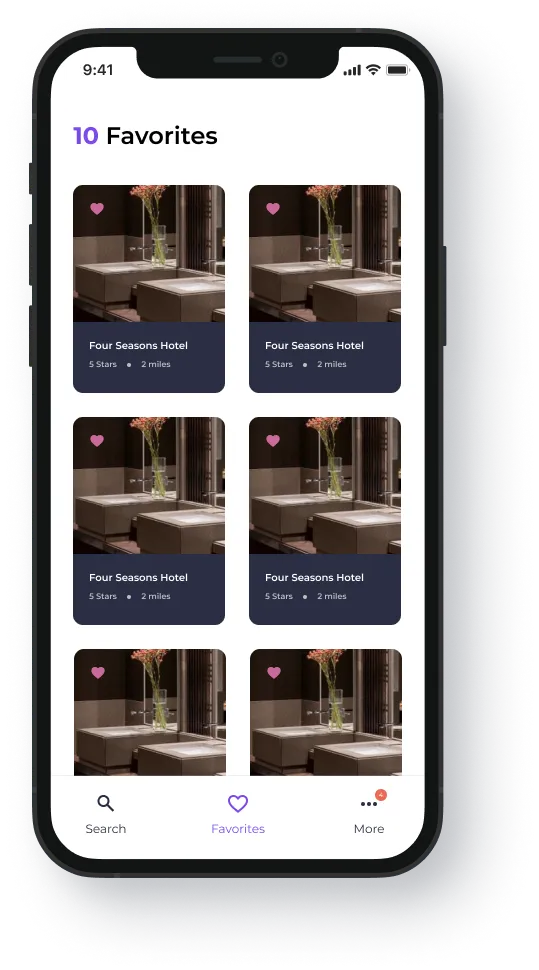
Whenever a user taps the heart icon, that "hearted" restroom can be found in the favorites section of the app.
At the very top, a user will be able to see the exact number of favorite restrooms they have added to their list.
A user can deselect a favorite restroom by tapping on the heart icon at any time.
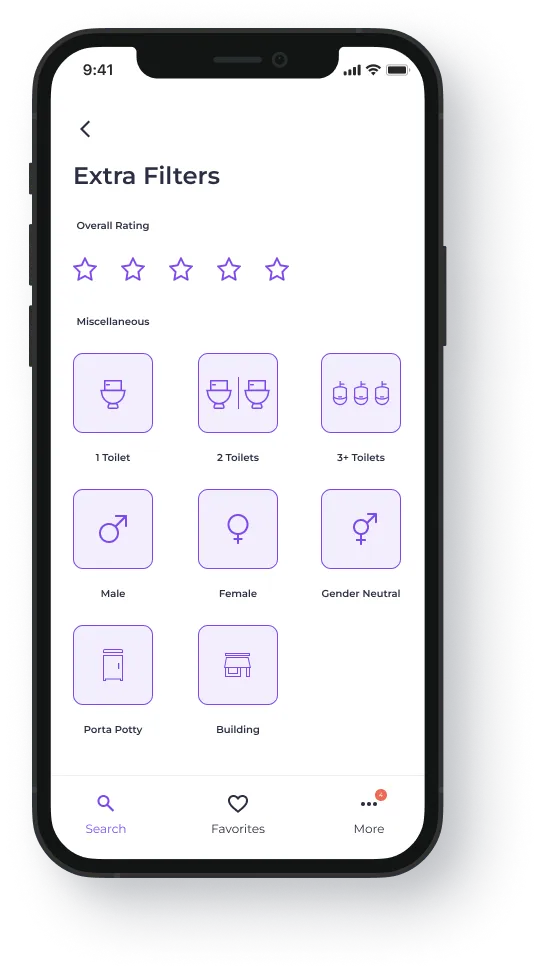
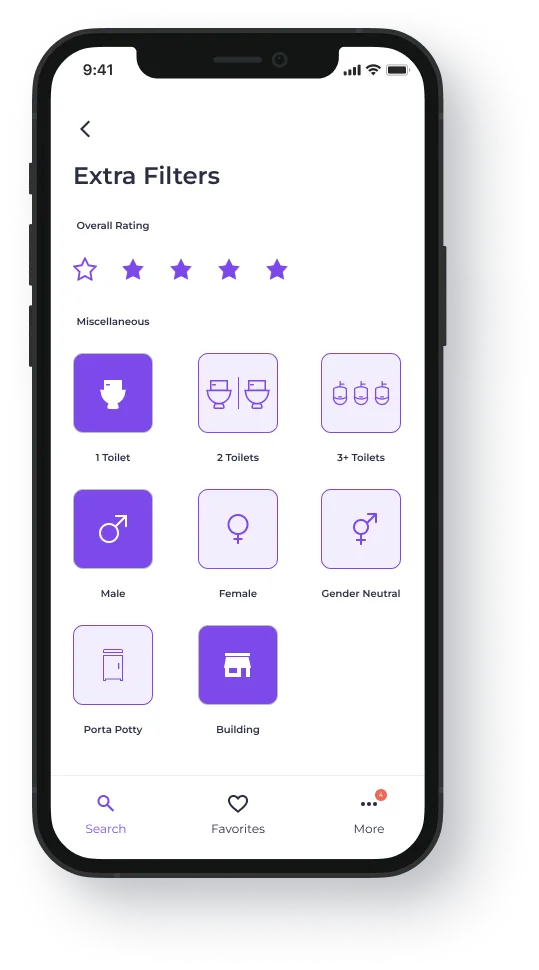
Extra Filters
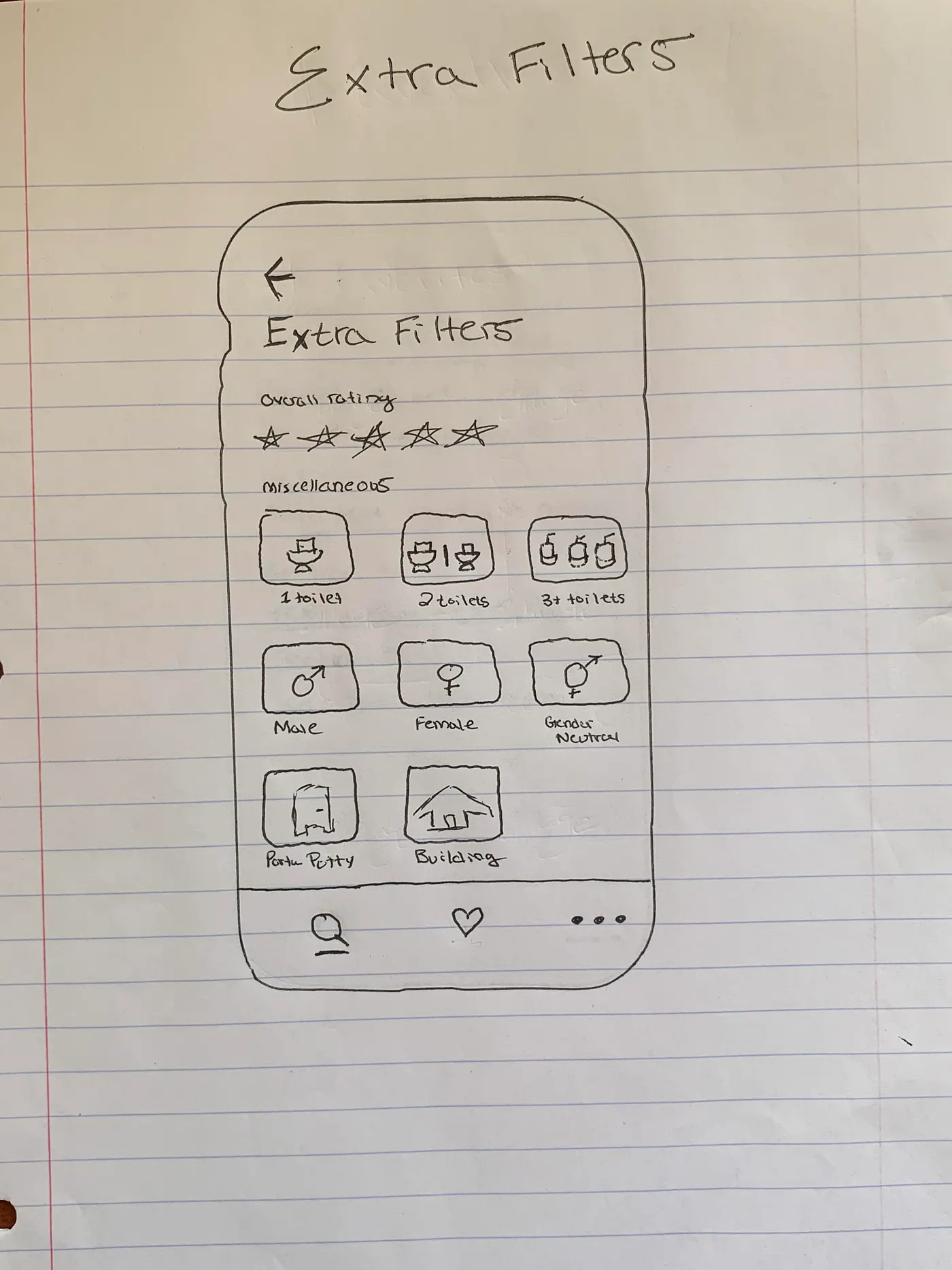
Law of Proximity states, "Objects that are near, or proximate to each other, tend to be grouped together."
To decipher between the overall rating filter and miscellaneous filters, I had to utilize the Law of Common Region.
Law of Common Region states, "Elements tend to be perceived into groups if they are sharing an area with a clearly defined boundary."
70 percent of Americans report that they've had an unpleasant experience using public restrooms. Knowing this, I believe that the ability to filter public restroom ratings is desirable for the user.
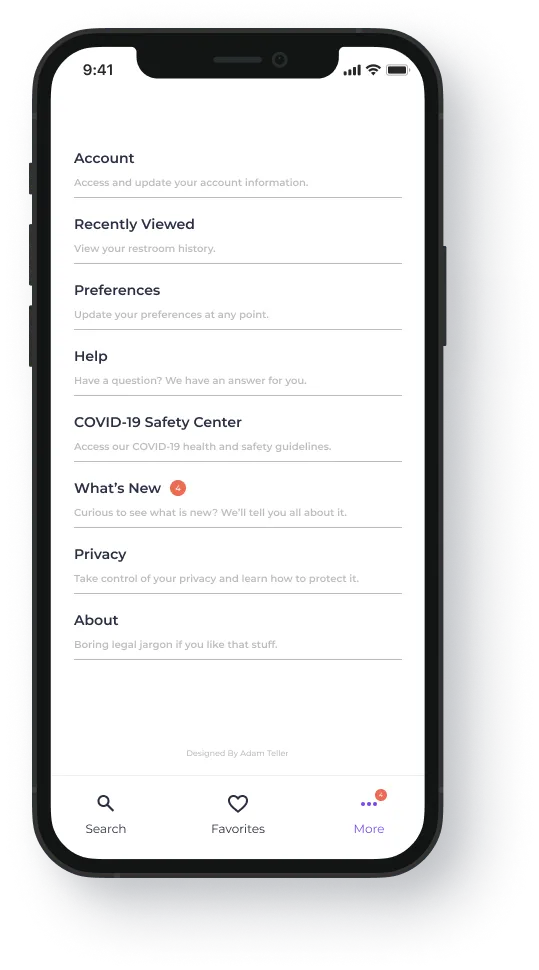
More Section
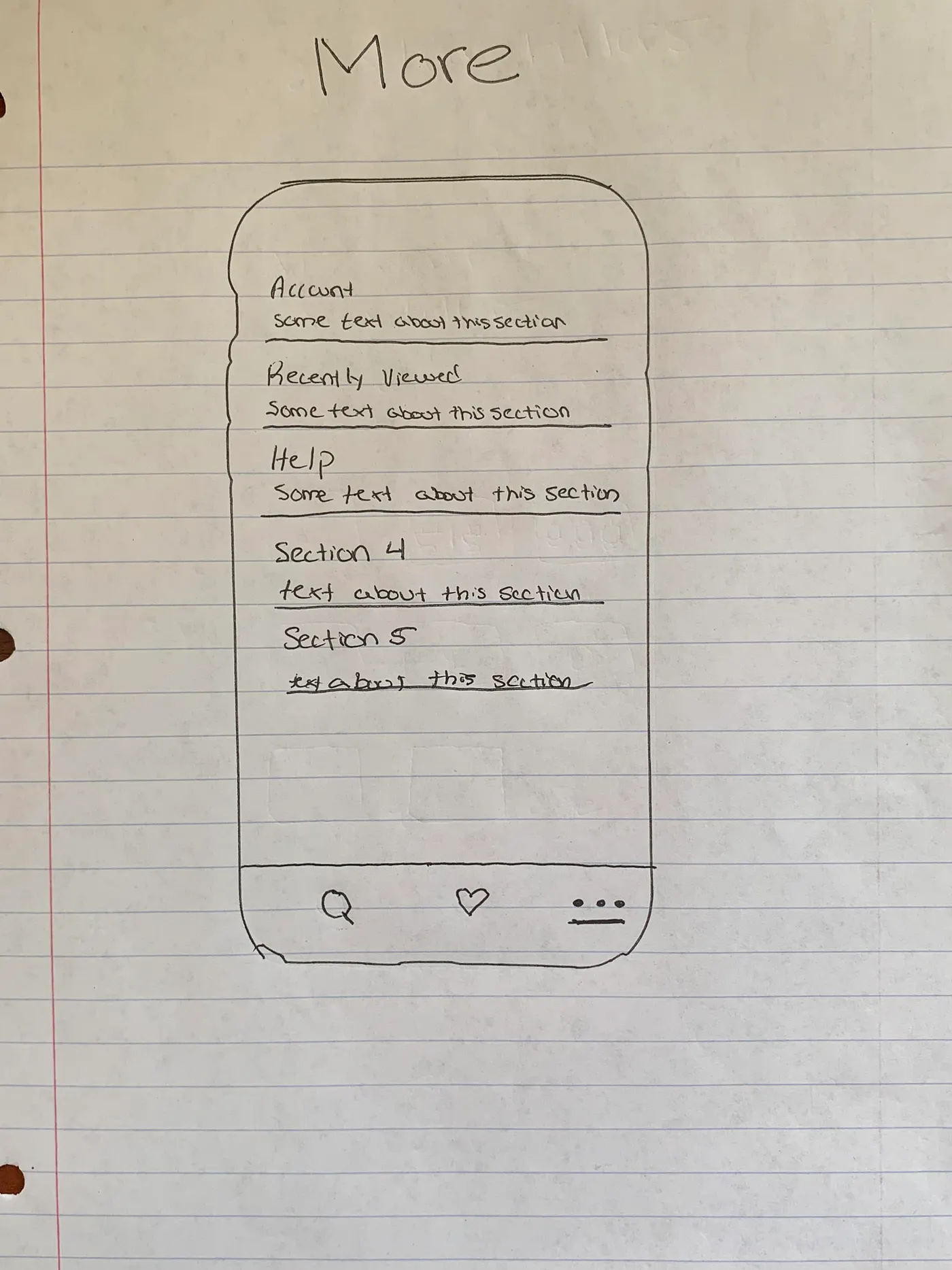
I chose the Z-Pattern reading layout based on its simplistic look which is paramount for this specific page.
Here, the name of the section and a short description will be provided so the user has an idea of what purpose each specific section has.
In this area, the user will be able to edit personal preferences, account settings, notifications, COVID-19 information, and more.
Final Mockup
Hover over or tap on images to view details
Moving Forward
This app is purely conceptual, and I would like to emphasize that I am in no way taking credit for or attempting to steal the brilliant Larry David's (George Costanza) idea. However, I found this app to be very intriguing and believe there is an untapped market for something like this in the tech space.
In today's world, where everything seems to integrate into an app, it is crazy that something along these lines does not already exist. This is specifically surprising because there is a great need for a public restroom finder app, and numerous users would benefit from it both out of necessity and practicality.