Brief
This is a study of the possibility of a redesigned desktop user interface of Zara.com without proposing a completely tangent brand identity. This is just a concept and not done by Zara.
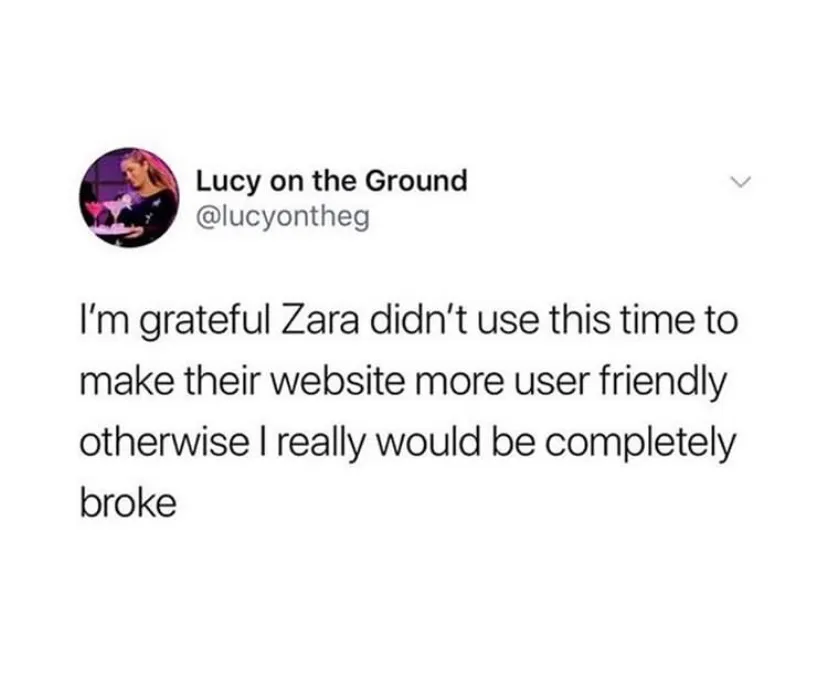
When people go out of their way to joke about your user interface, it's safe to say it's time for a new one.
That being said, I took the time to assess Zara's current website and revamp it into a more user-friendly website that will increase revenue during COVID-19.
Goals & Objectives
Research and redesign a responsive website for Zara that is tailored to both first-time customers and recurring customers while keeping Zara's current branding.
Design Process
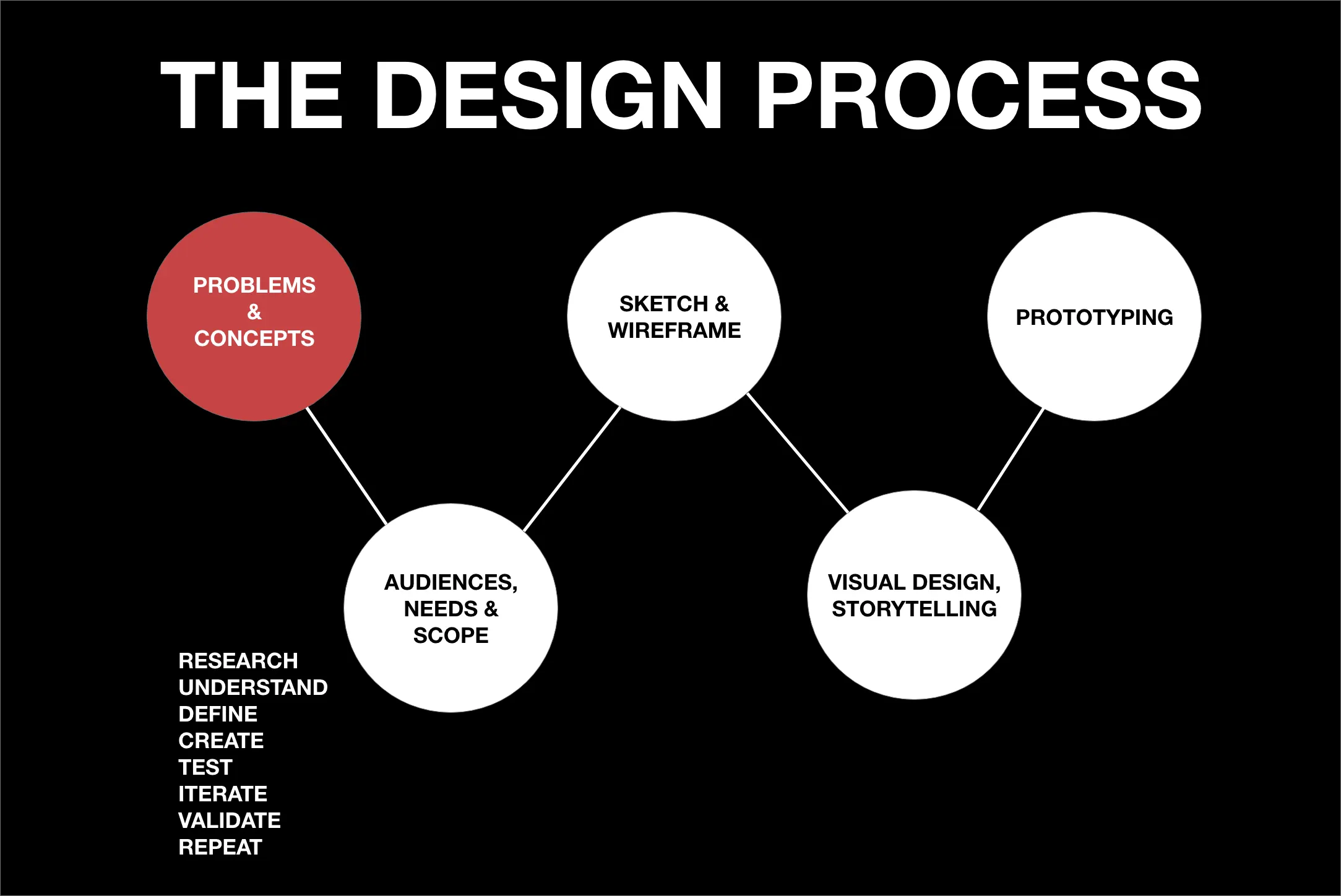
To fully understand how one should create a website that works for new and recurring customers, I had to first put my mindset into the user. By doing so I needed to identify the goals, needs, motivations, and frustrations customers feel towards Zara's online shopping experience.
Research Plan
I began by designing a research plan that would help me stay organized but more importantly, on track with the research phase. First, I wanted to conduct one-on-one interviews and surveys with current shoppers and possibly first-time shoppers of Zara. Through user surveys and interviews, I detected patterns on a user's digital experience. I also wanted to study Zara's competitors by going through their websites and identify what they are doing right but more importantly what they are doing wrong to make sure this new user interface does not repeat past mistakes.
1-1 Interviews, Survey
21 Total (9 Men, 12 Women)
18-30 years old (All Millennials)
Through the research, I was able to identify some needs, pain points, and motivations that were helpful.
Interviews & Survey
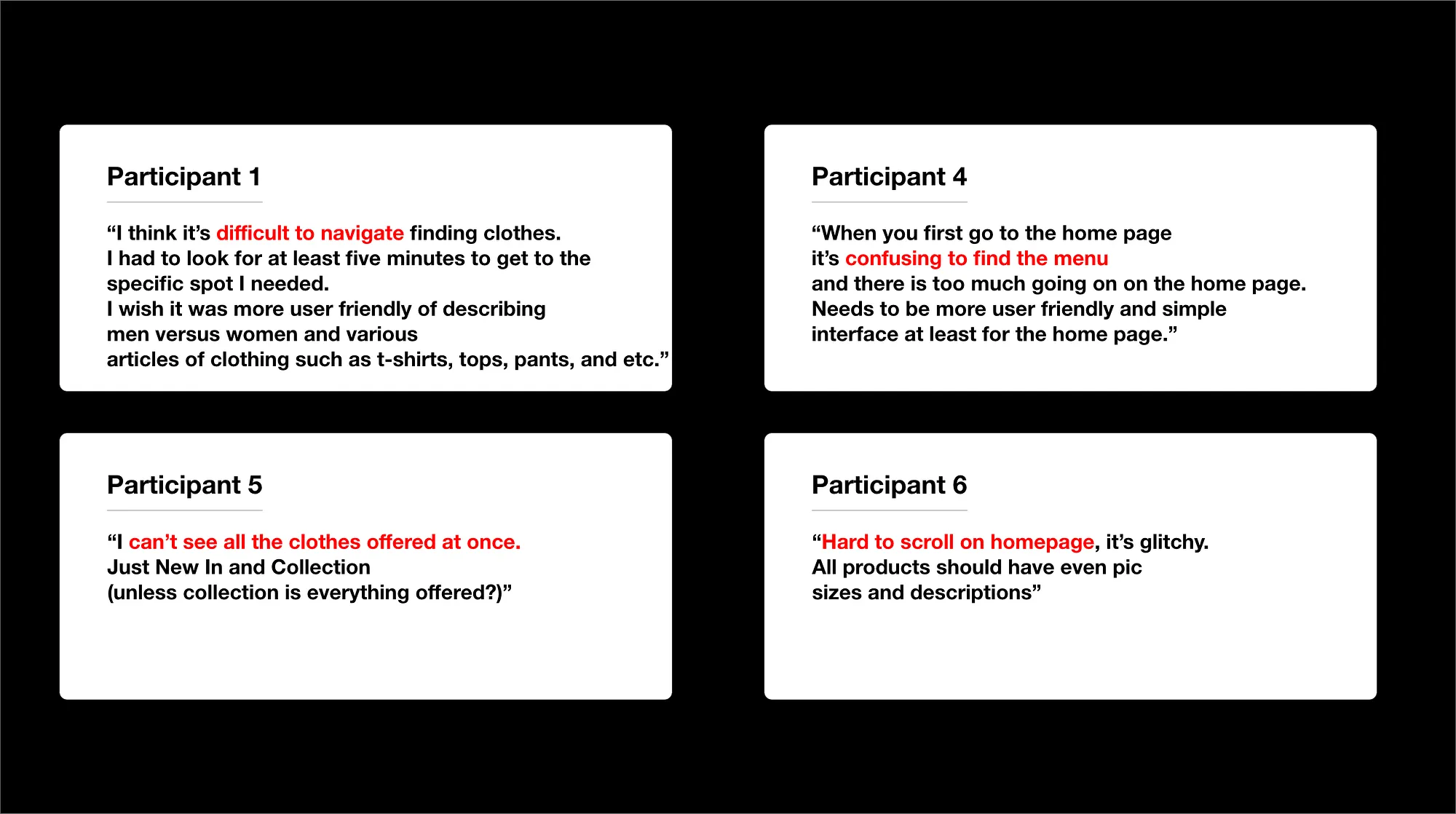
Participant quotes describing what they believe is difficult using Zara's current website
3/21 participants like Zara's current website.
8/21 participants believe Zara's current website is easy to use.
13/21 participants shopped somewhere else because Zara's website is too difficult.
4/21 participants were aware that Zara has a mobile app.
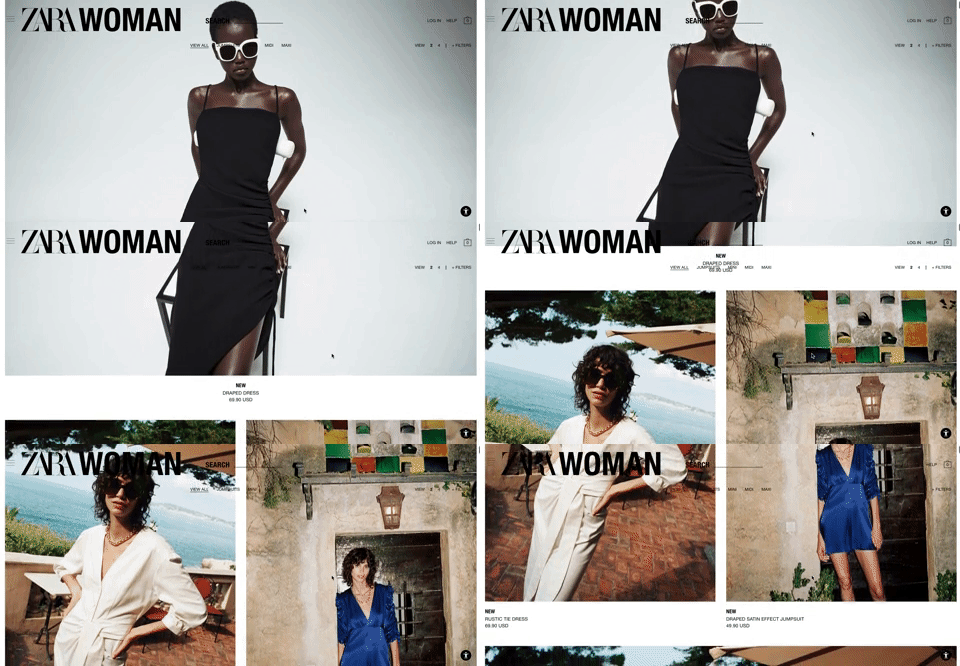
"I can't see all the clothes offered at once" — Participant 5
Understanding the Product
Before moving onto the sketch & wireframing phase, I wanted to go through Zara's top competitors and analyze the products and services they offer compared to Zara. I also wanted to get a better understanding of Zara's brand so that I can create something that aligns with their style and mission.
Zara opened in the Spanish coastal town of A Coruña back in 1975. Its parent company Inditex owns eight different brands, has nearly 7,500 stores, and is also selling in over 200 markets. They are the largest fashion company in the world. Due to COVID-19, Zara is planning on closing up to 1200 stores in order to boost their online sales. Inditex, the parent company, suffered a $483 million loss in 2020's first quarter. Therefore, a user-friendly interface for customers to help boost revenue is a must.
Zara's biggest competitors are Uniqlo, Topshop, H&M, ASOS, and Express. While going through Zara's biggest competitors I noticed what separates Zara from everyone else; sex. Zara's customer demographic is individuals with small disposable income, but they want to be perceived as a top luxury designer brand, like Tom Ford. Through the extravagant architecture of their stores to the sexy images of fashionable models, Zara wants their customers to know they can look and feel like a sexy model without having to spend thousands of dollars. To align with their brand's mission, Zara's user interface should look and feel like a top luxury designer brand website.
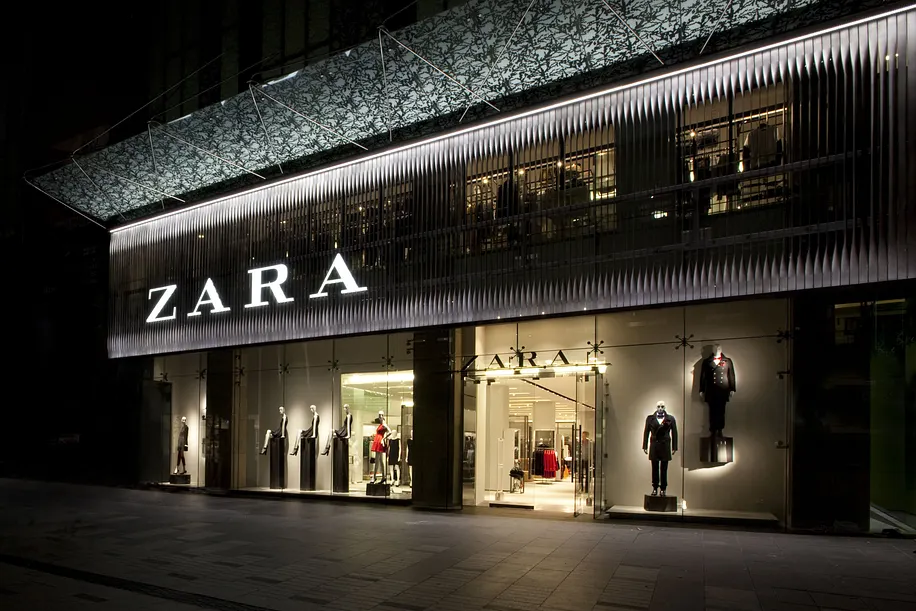
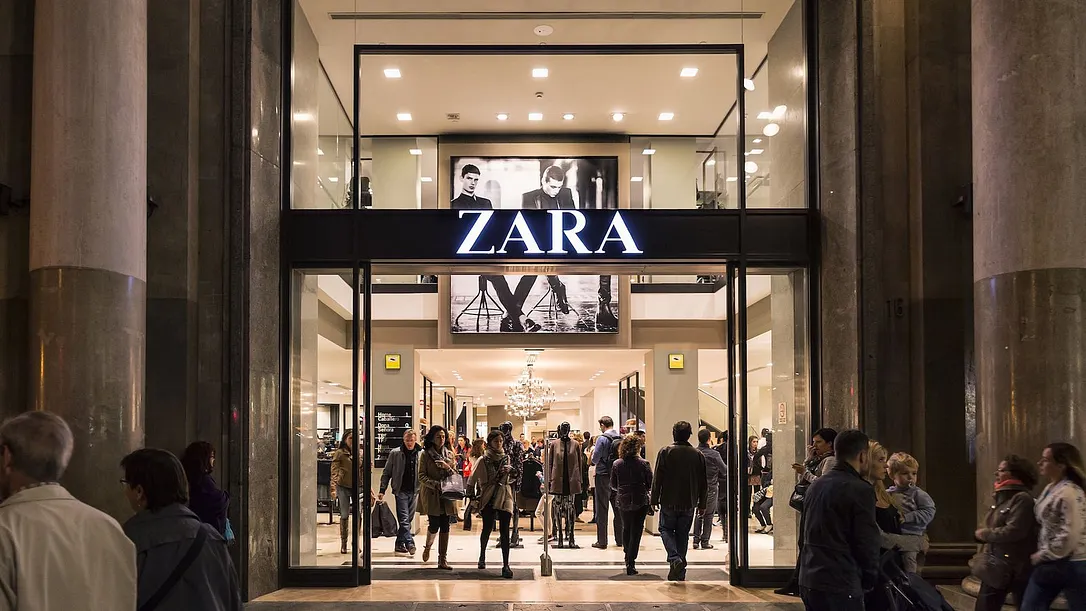
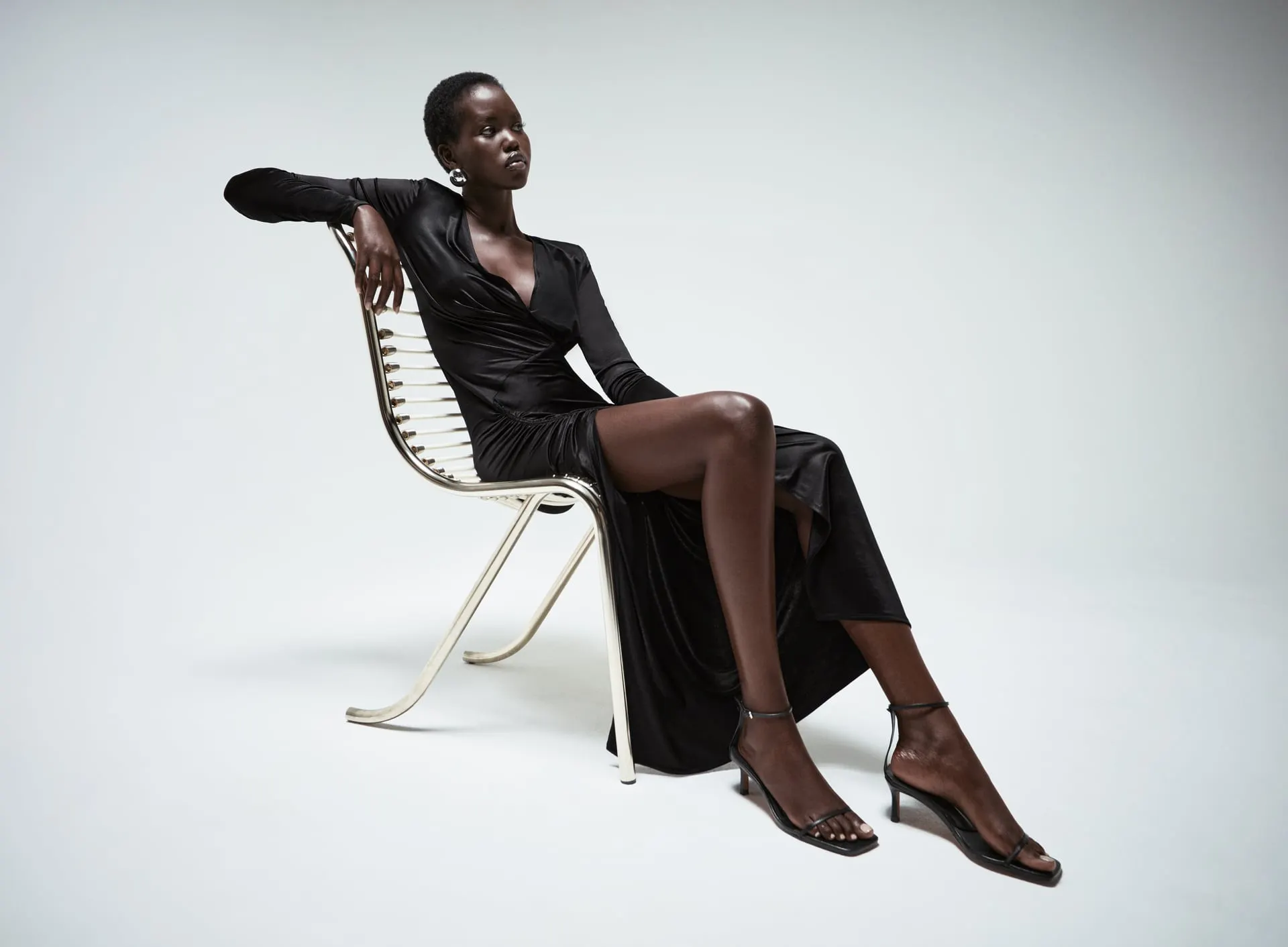
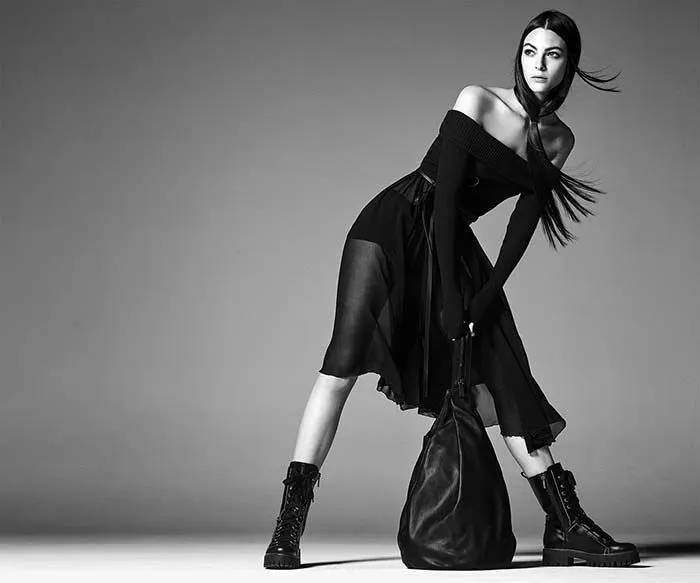
Model Adut Akech (Bottom Left) and Model Grace Elizabeth (Bottom Right)
Understanding the Users
What are the insights I can gather?
My biggest question was — Was this simply a user interface issue?
To reiterate, I ran a 9 question user survey consisting of 21 new and recurring Zara shoppers who have visited Zara's website within the past 3-4 months to see what the users have to say about their web experience. The scope of the interview was centered around consumers' online decision making, what they look for in an e-commerce website, and their experience with Zara in an effort to identify usability issues with the user interface design of the site.
The short survey was synthesized through individual interviews while navigating the website on a desktop computer. Through organizing the data, it all came down to two main recurring themes:
Over half of the participants either brought up the difficulty of navigating around Zara's website or the website was too busy leading them to shop at one of Zara's competitors.
Over half of the participants said they wanted a more simplified interface for navigation, including more pictures of the product without the need of having to scroll up and down.
Which lead to my main insight:
How can Zara upgrade their flagship site to holistically mirror the simplicity of their products and in-person stores?
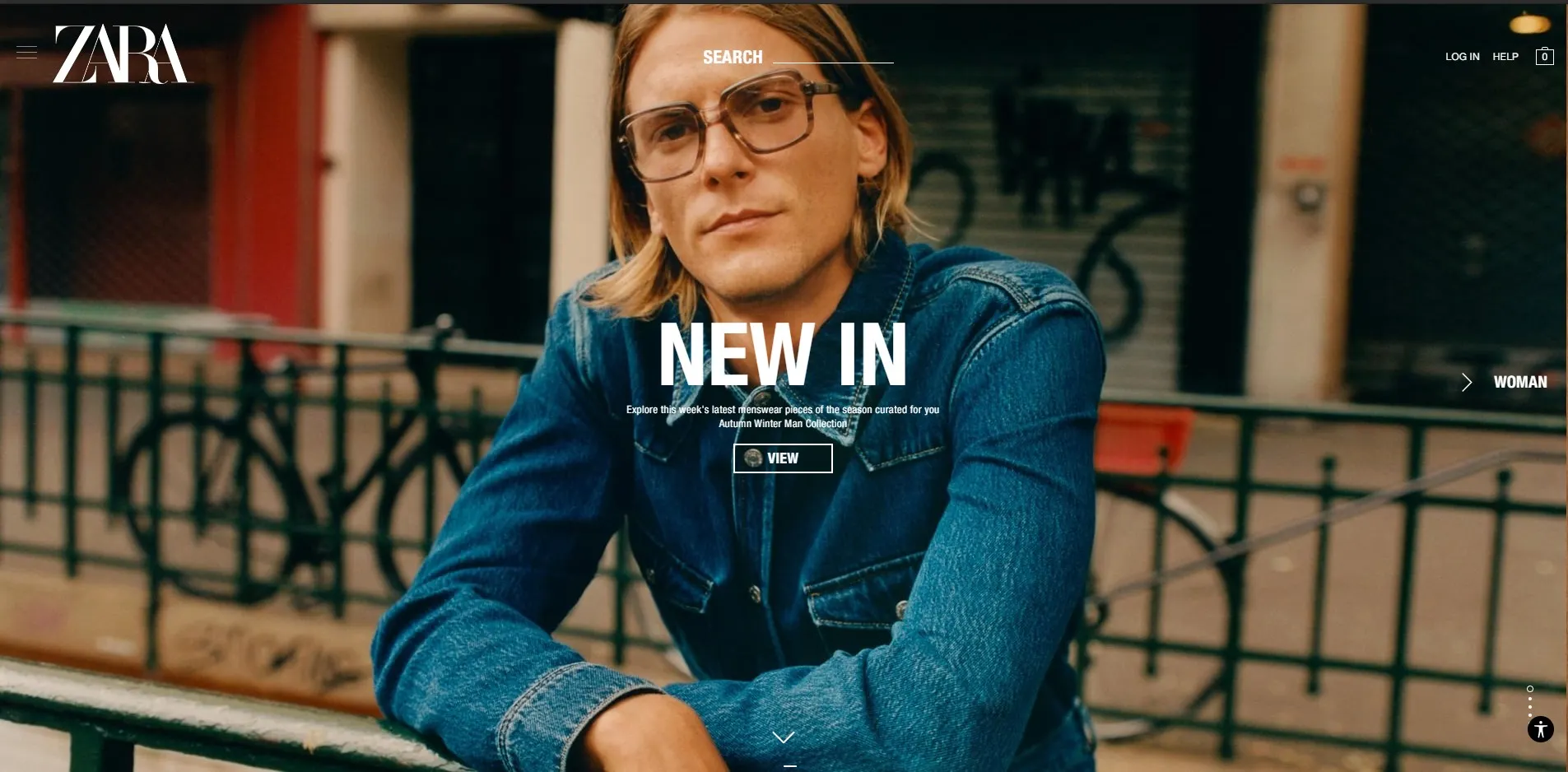
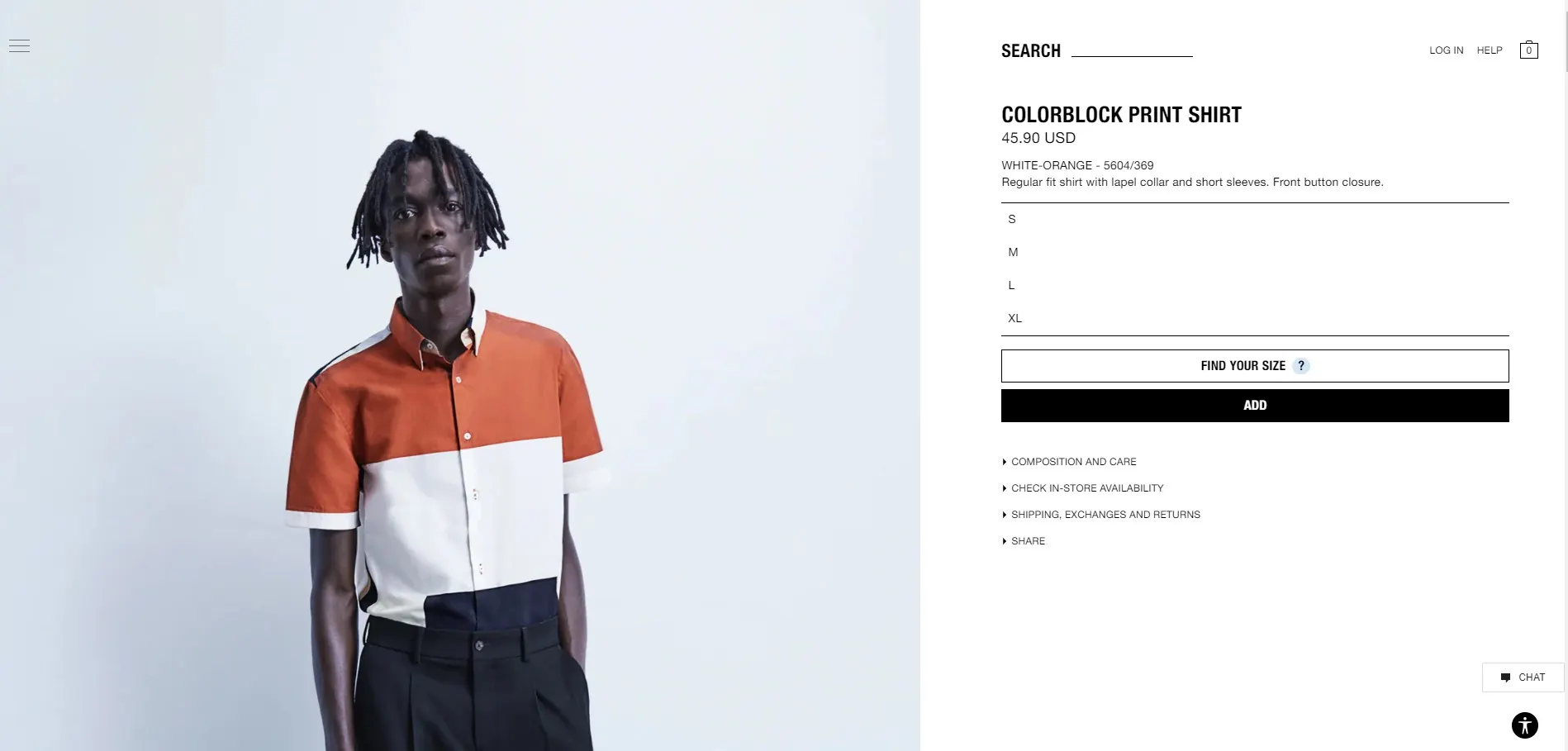
Split images of Zara's home page (Left) and their Mens Shirts page (Right)
The Game Plan
As identified above, there are two areas in which I can help make Zara a better website.
My primary focus was driven by the fact that I wanted to provide a more holistic design for the users that can propose an answer to each recurring theme.
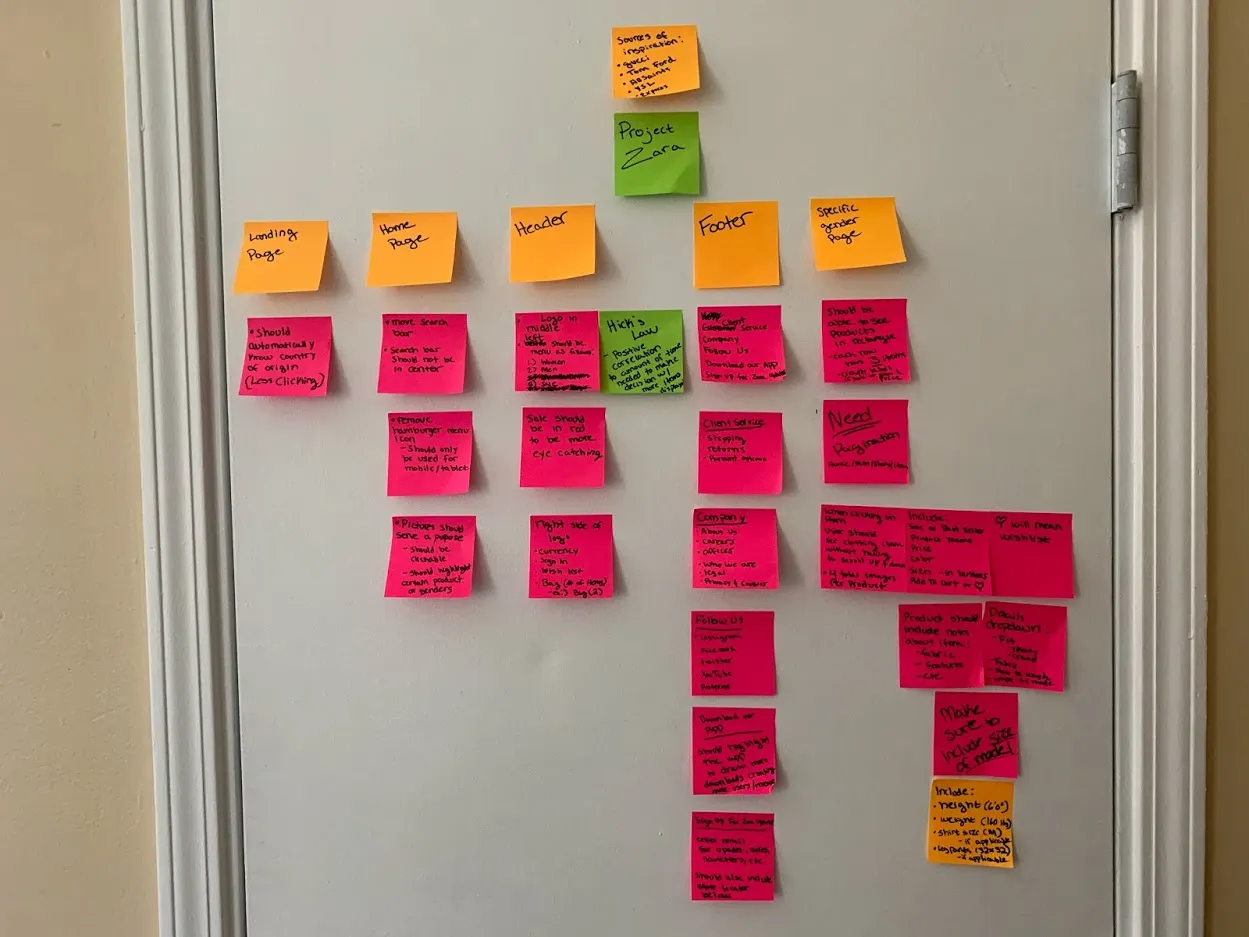
I like to design a website by dividing it into categories and put my thoughts into those categories
Highlighting Issues and Presenting Iterations
After going over several possible solutions, here are some iterations conducted with paper prototyping and Photoshop.
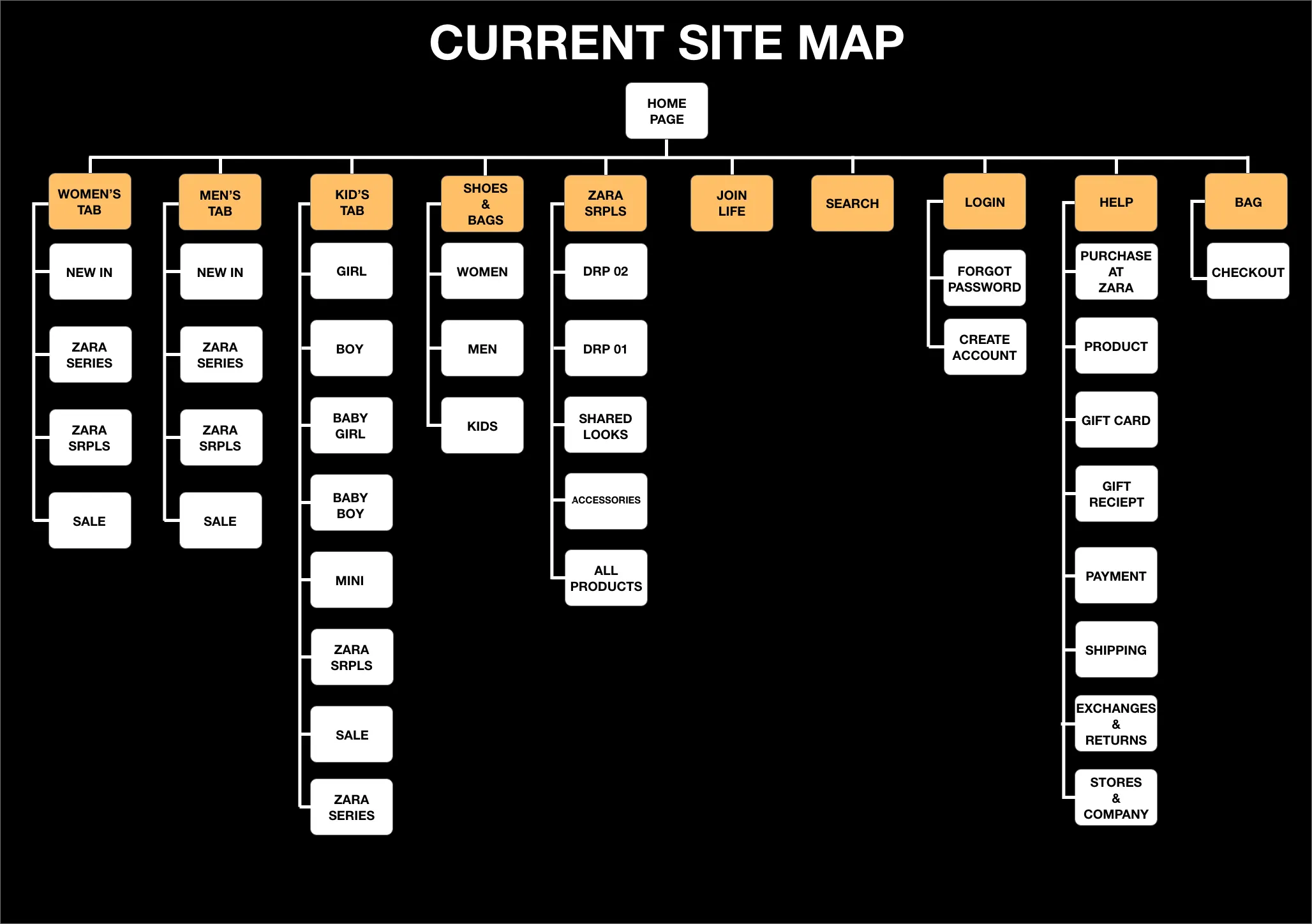
Site Map
Problems
Too Much
Hick's Law states, "The time it takes to make a decision increases with the number and complexity of choices"
There is an unnecessary amount of choices presented at the top when some of these choices could either be moved to the footer or merged into its own category
Too much clicking is a turnoff for most users
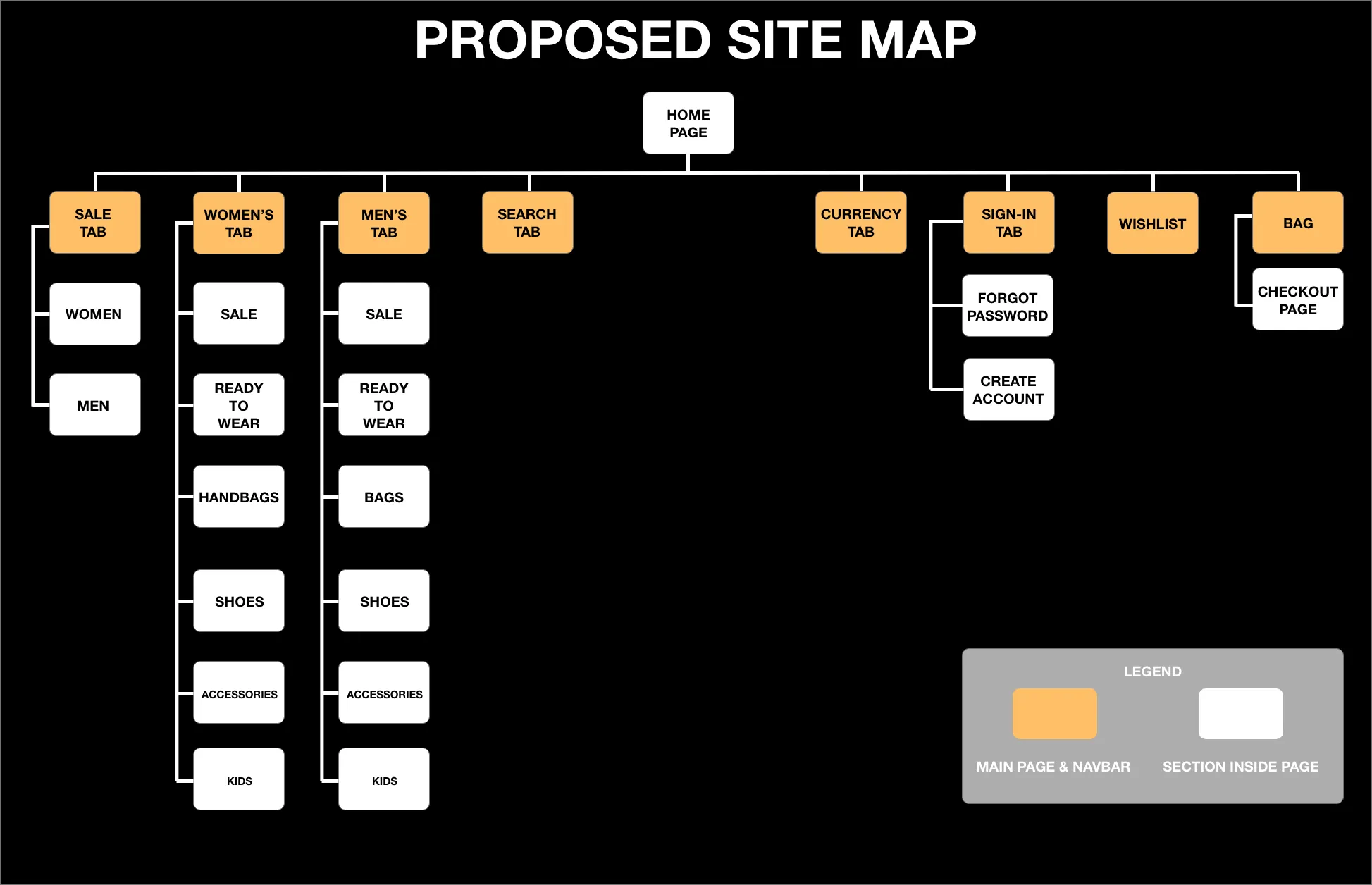
Proposed Site Map
Less is More
To reiterate, Hick's Law states, "The time it takes to make a decision increases with the number and complexity of choices"
Merging of "Kids" clothing to their corresponding gender
Sale has its own tab to be more eye catching
Using the verbiage "Ready-To-Wear" rather than "Clothing" is very common in luxury designer brands which in turn gives Zara more prestige
Navigation Menu
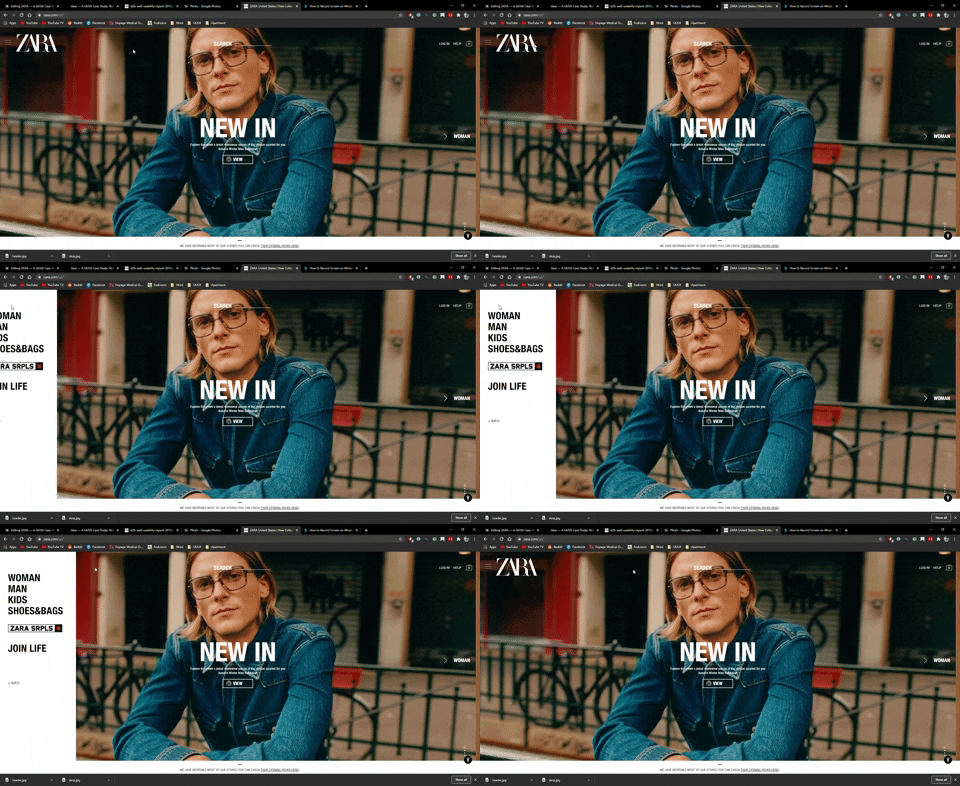
Current User Interface Home Screen
Problems
Not Easily Found
A navigation header should be easily found and not cause any effort or thinking
The coloring blends in with the dark background making it harder to find
37% of users claim they get annoyed by poor design and navigation on the website and that's the main reason they leave.
Aesthetic Usability Effect states, "Users often perceive aesthetically pleasing design as design that's more usable"
The search bar should not be in the middle. The human eye naturally looks in the middle which is where their logo should be
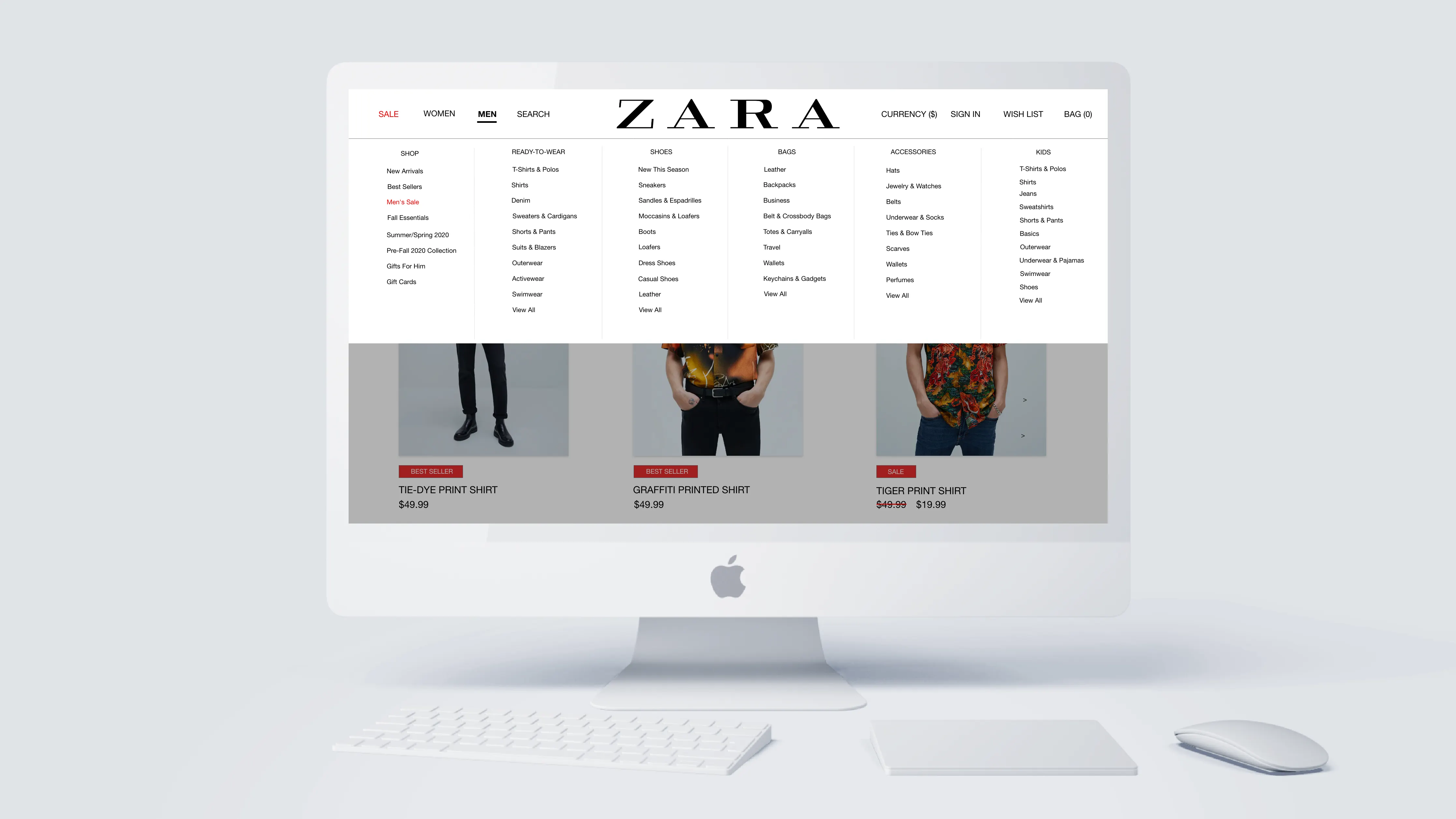
Header & Home Screen Solution Concept
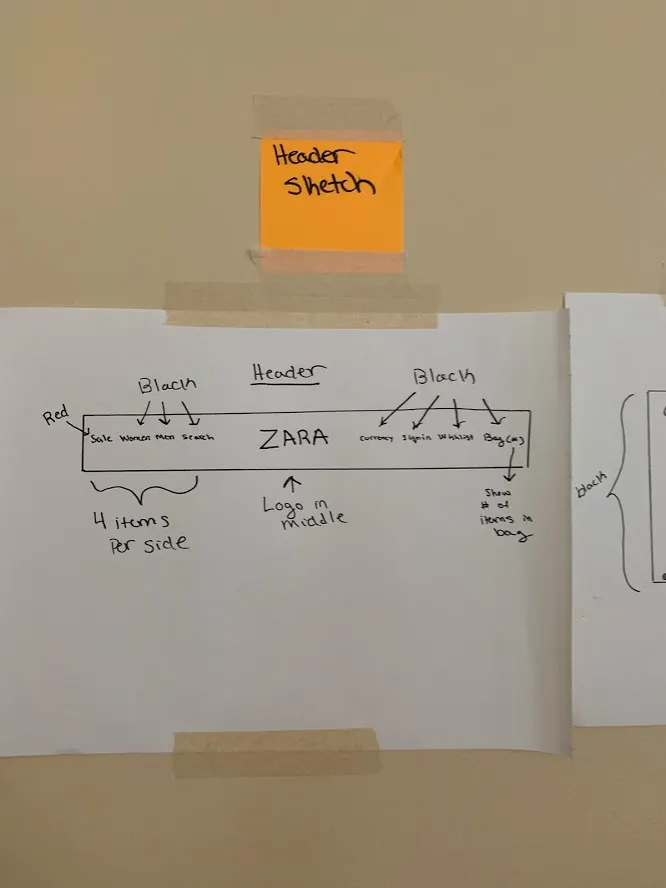
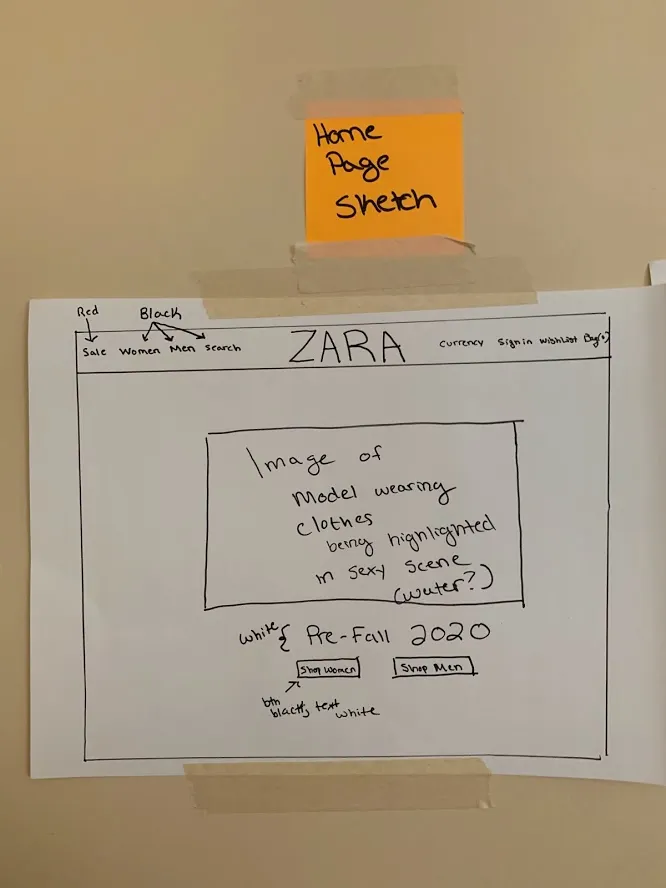
Paper Prototype of Navigation Header (Left) Paper Prototype of Home Screen (Right)
Absolute Simplicity
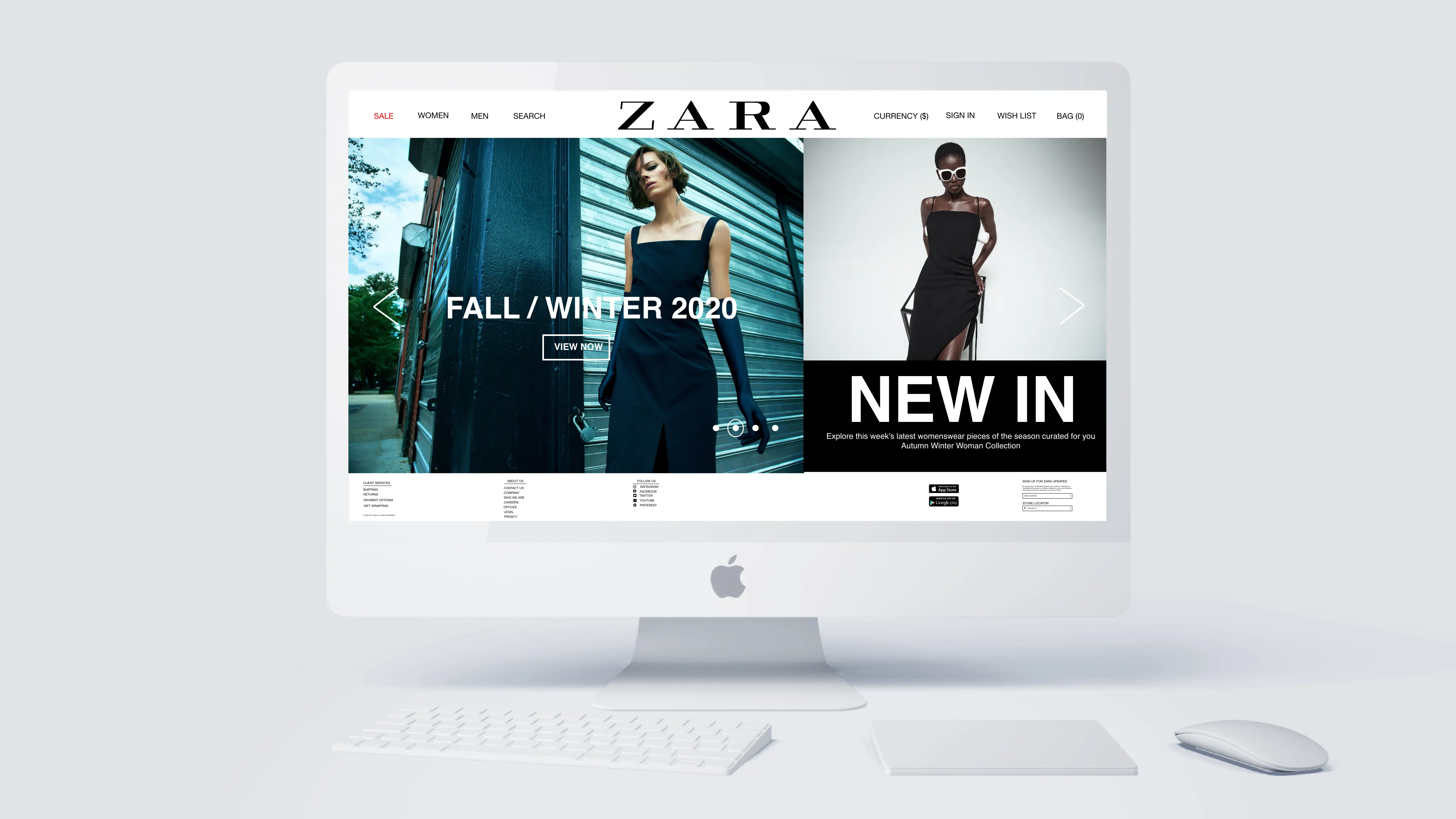
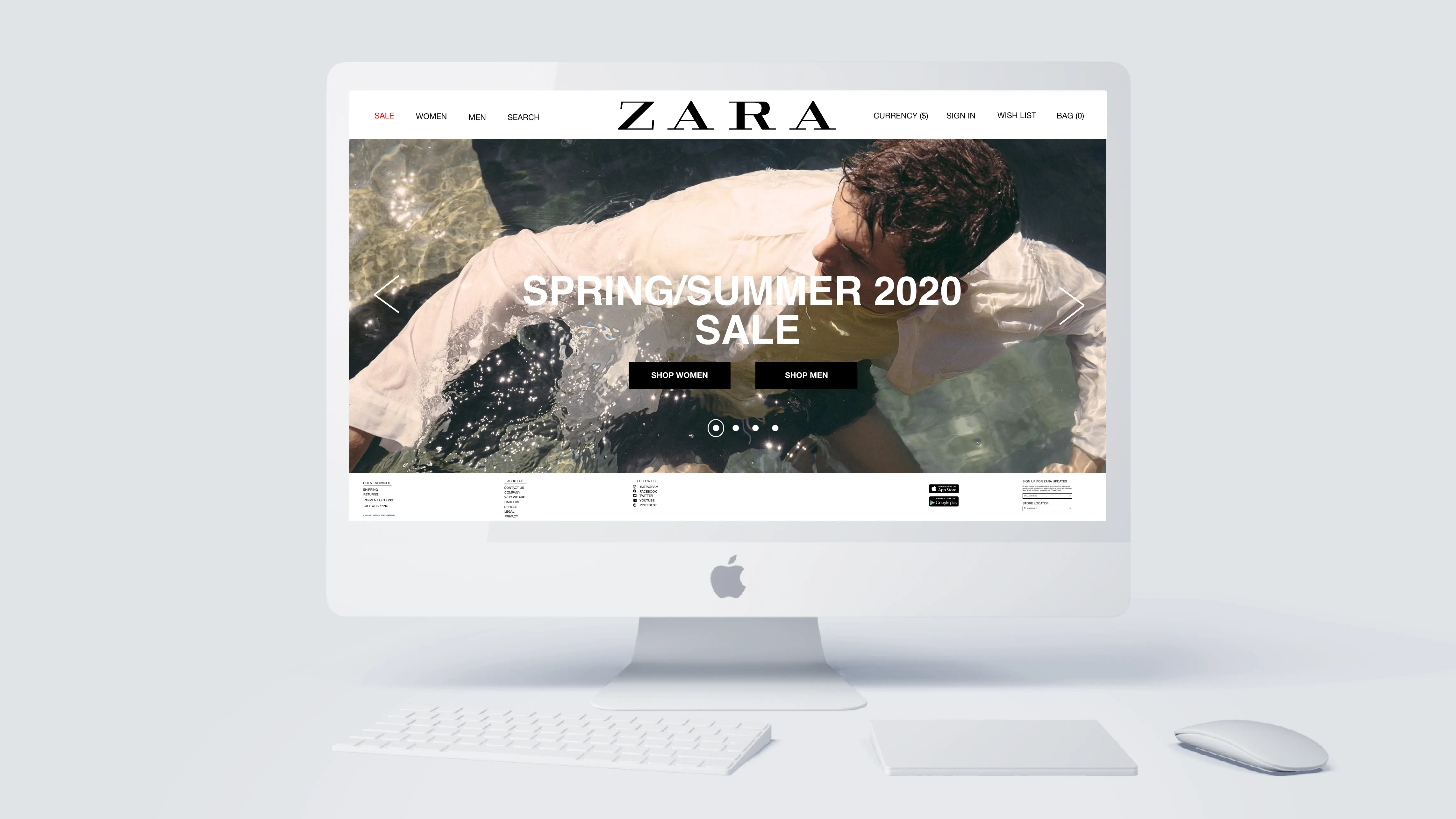
Navigation bar is easily identifiable and not hidden thus preventing a user pain point
Four options per side help alleviate a user's pain point. We want the user to not think but instead inherently know how to navigate this website by adding some familiarity from other sites
Sale will be in the color red to be more eye-catching
Zara has stores in over 96 different countries and having the ability to change the currency at the top should be a must
Zara's logo should be in the middle. The human eye naturally looks towards the middle
Product Page
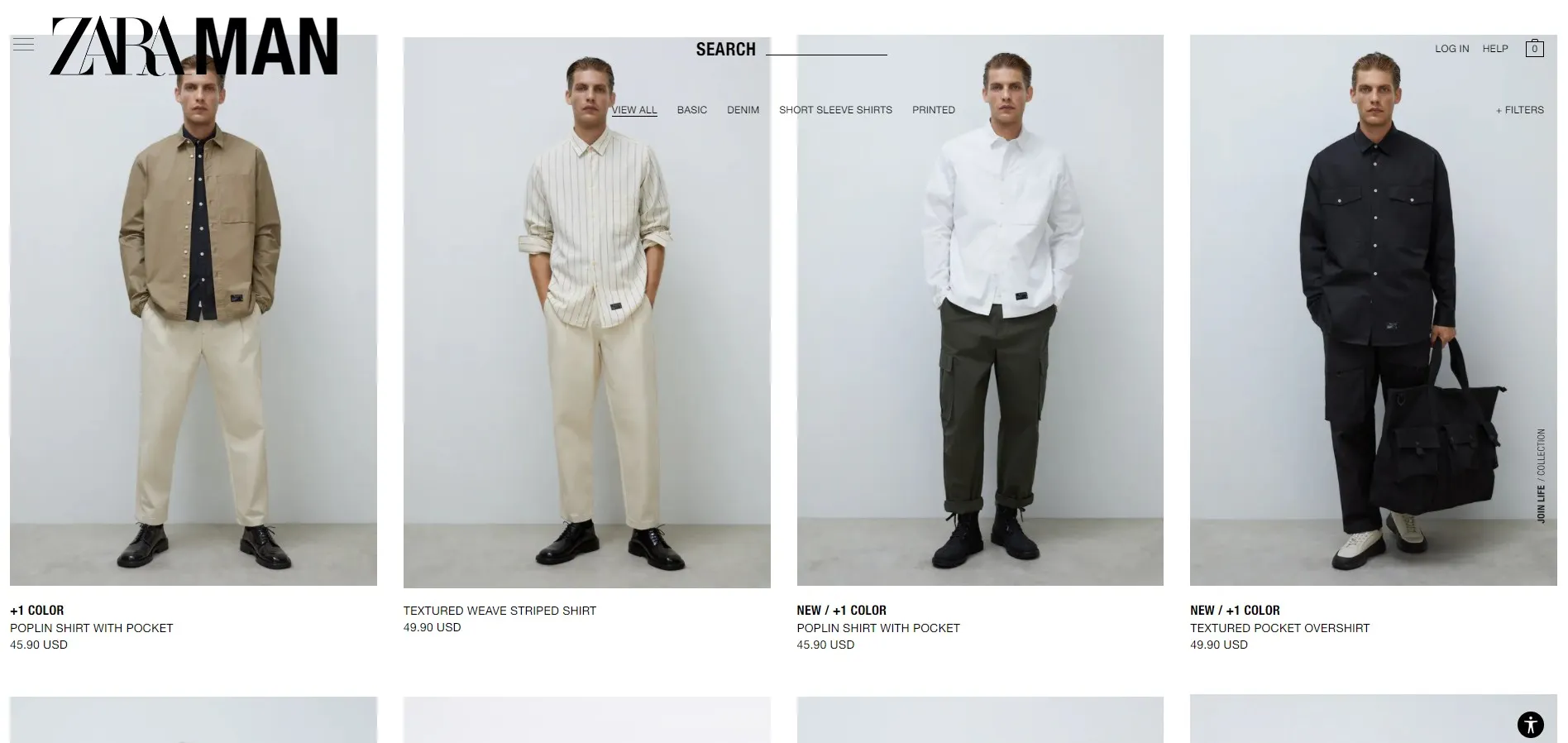
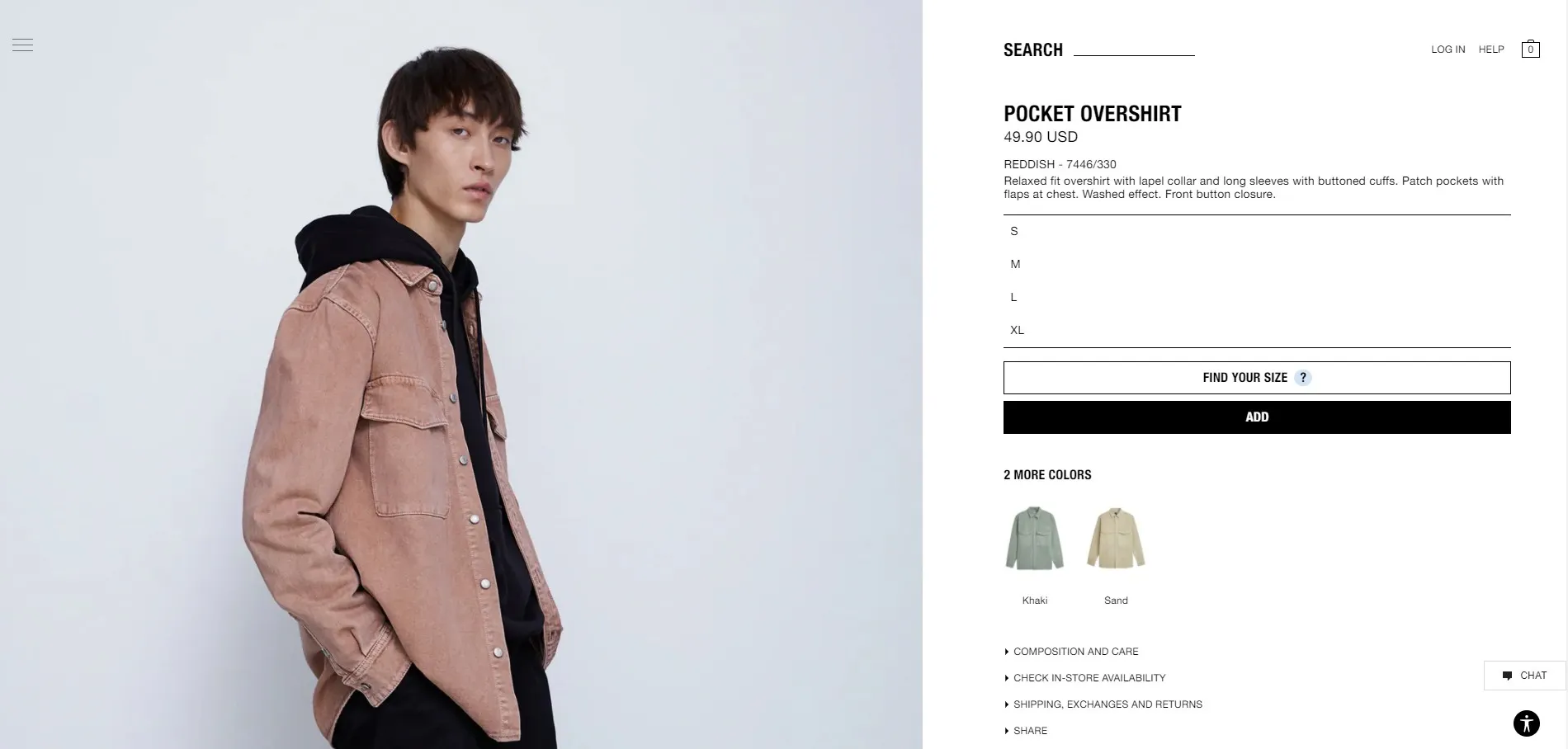
Product Overview Page (Left) Specific Product Page (Right)
Problems
Menu in the middle blends in with pictures of the models
If a product is "New" or a "Best Seller", the coloring should be bright rather than black
The user cannot click through different photos of a product but instead has to click directly on the product to be taken to a separate page and from there view multiple pictures by scrolling up and down
Filters menu is not as easy to identify which can be annoying for the user
Unnecessary to have the product's size options to be vertical when there can be buttons in its row to conserve space
The user has to scroll up and down to see the product they selected rather than seeing multiple images at first glance
Selecting the color of the product should be ABOVE the button "Add to Cart" rather than its current position of being below the button
Product Page Solution Concept
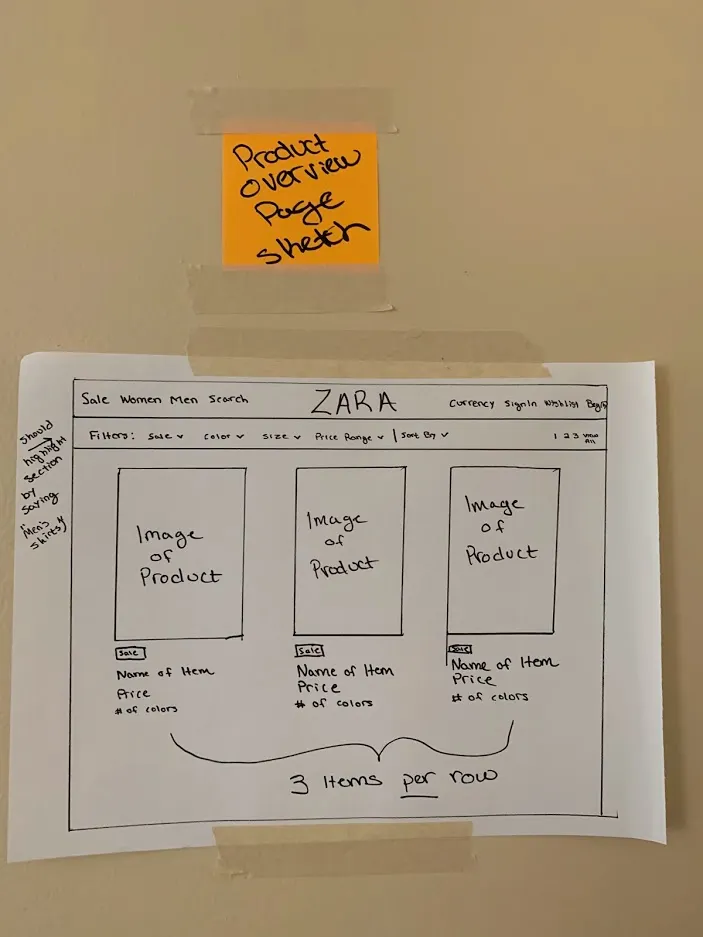
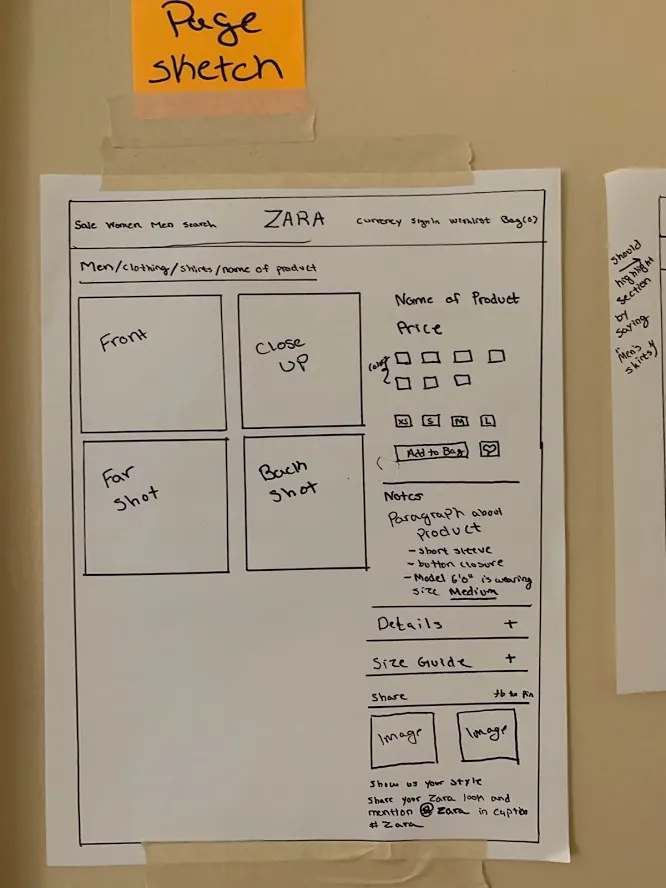
Product Overview Page (Left) Specific Product Page (Right)
Bolder Design
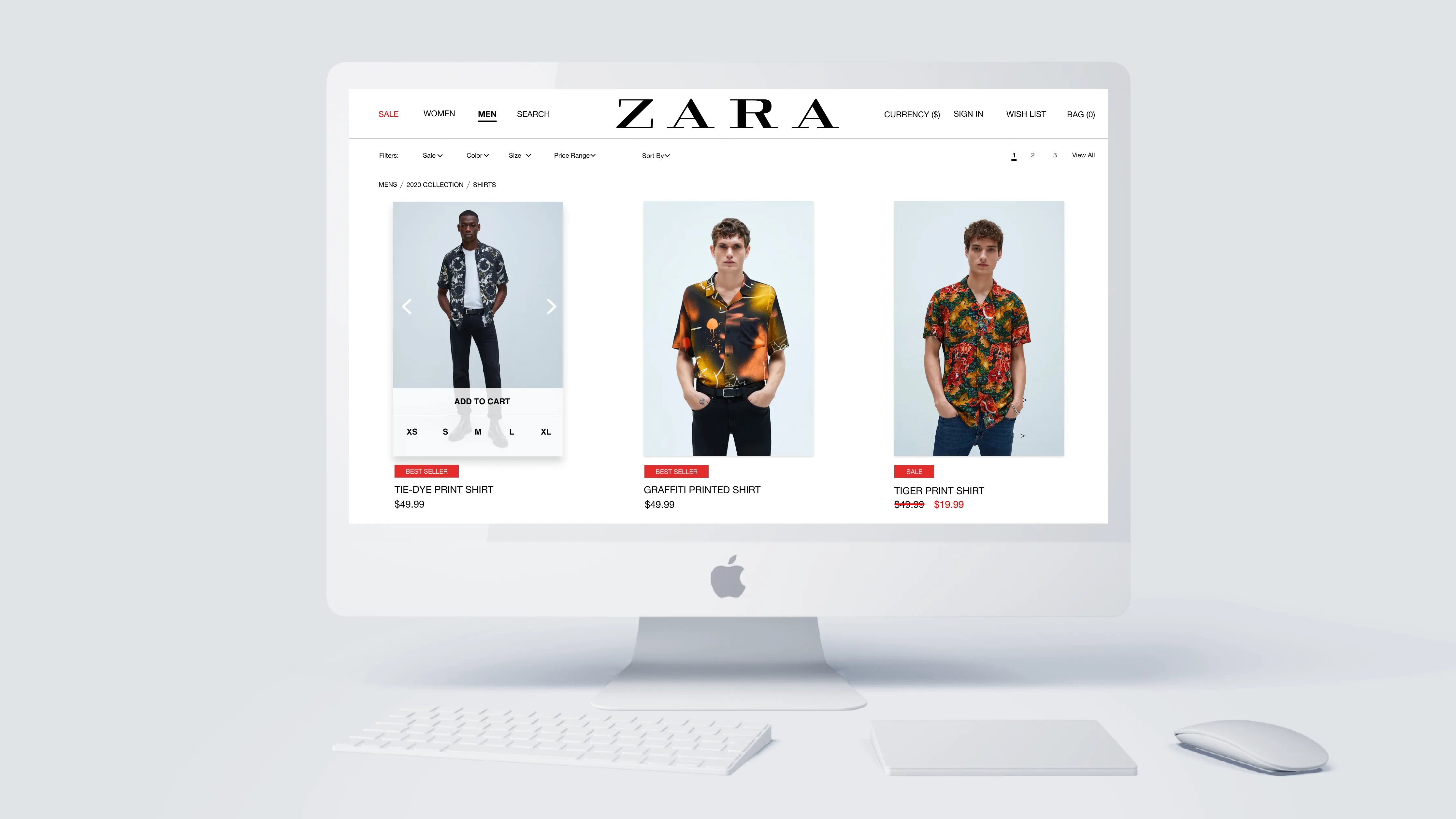
Menu does not blend but is instead easily identifiable and stands out
The filters for a product are easy to identify compared to the current user interface layout
Products that are either "New" or a "Best Seller" are more eye-catching with labeled inside a red box
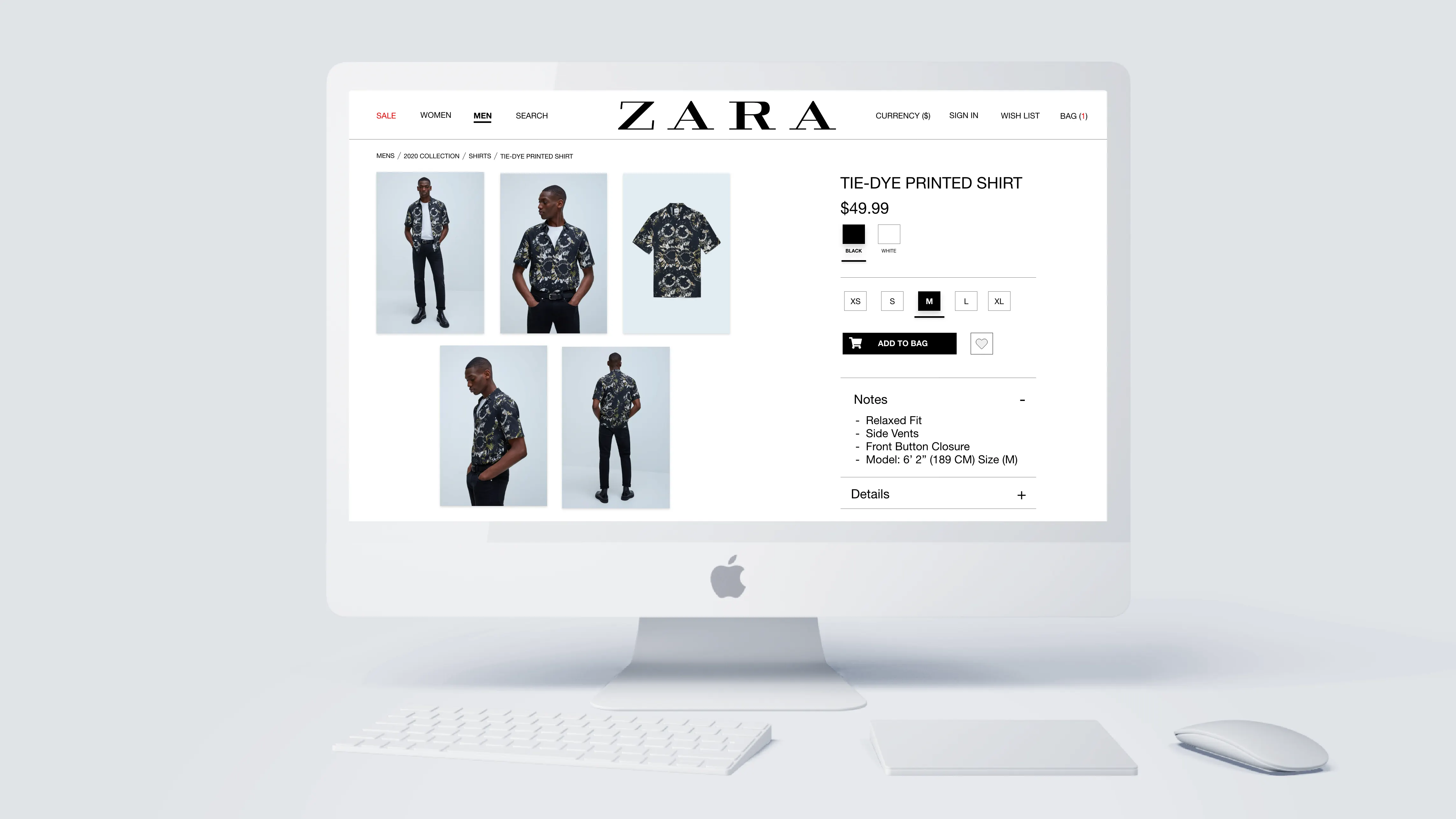
Instead of one large picture and having to scroll up and down to see the model's outfit, the user is presented with 4-5 images that they can click to expand
Pagination at the top to show the user their path on how they got to where they are currently
Notes dropdown that describes the outfit and gives details about the model and what size they are wearing. E.g. I am 6'1" and I find myself too often buying shirts that are either way too small or too large. Having a reference point of how tall and big a model is can help alleviate a consumer's pain point.
Social media campaign to get consumers to share their outfits and spread Zara's name on social media
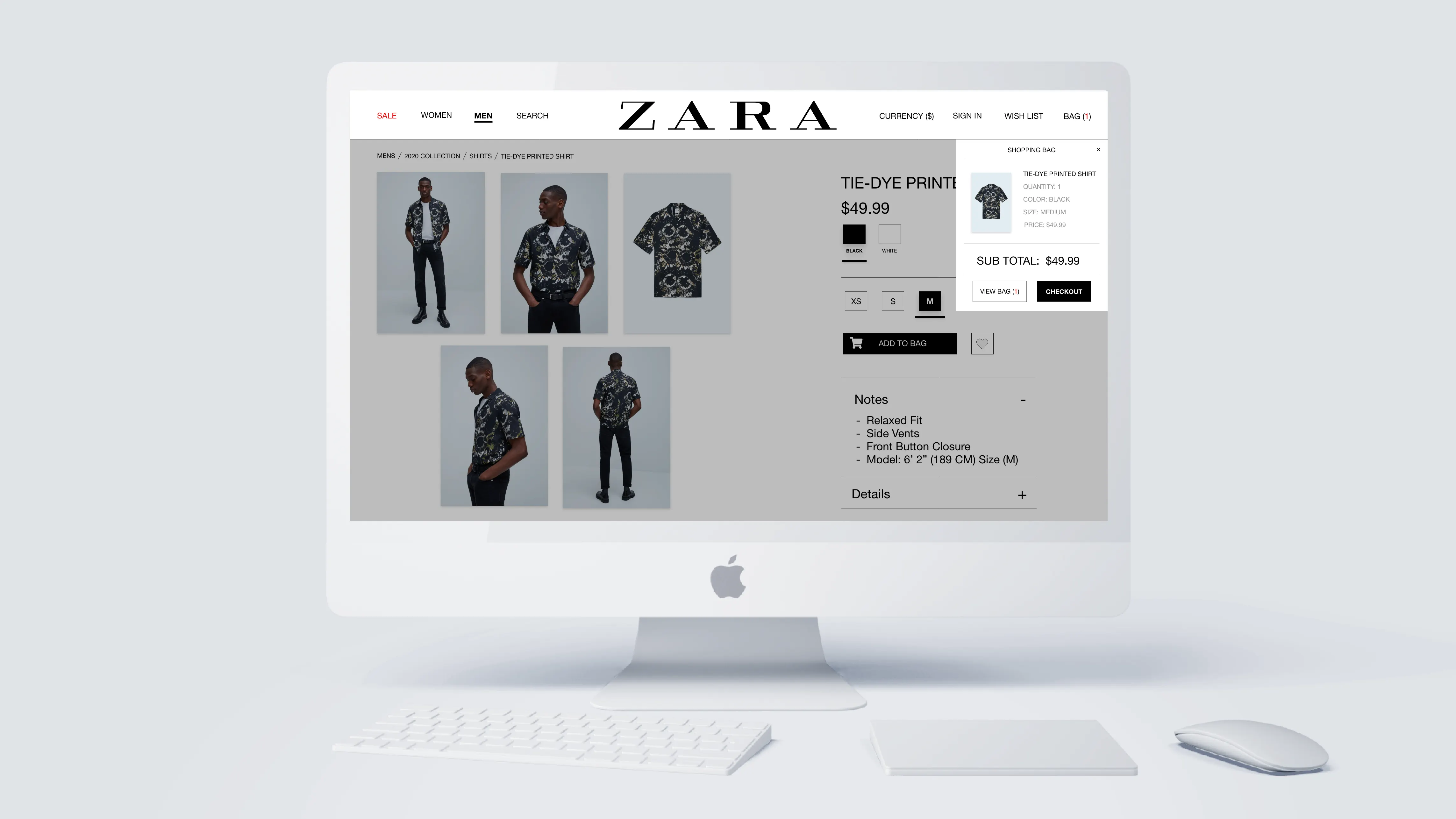
User is presented with an easy sequential process of having to select a size and then color before they can click the button "Add to Cart" compared to the current user interface layout
Final Prototype
Hover over or tap on images to view details
Moving Forward
This study is by no means an exhaustive list of critiques for Zara but instead an idea to implement a more user-friendly interface that will help increase revenue during this unprecedented time with COVID-19.
It is in my belief prototyping is a necessary stage for defining, testing, and validating an entirely new look and feel. As a consumer of Zara, I do enjoy their products. However, through my own experiences and the data collected from consumers, Zara does need a new user interface.
While I hope you enjoyed this article, I hope Zara is paying attention to their customers and possibly use this information to help create something new.